


Why Product Schema Is Non-Negotiable for E-commerce in 2026
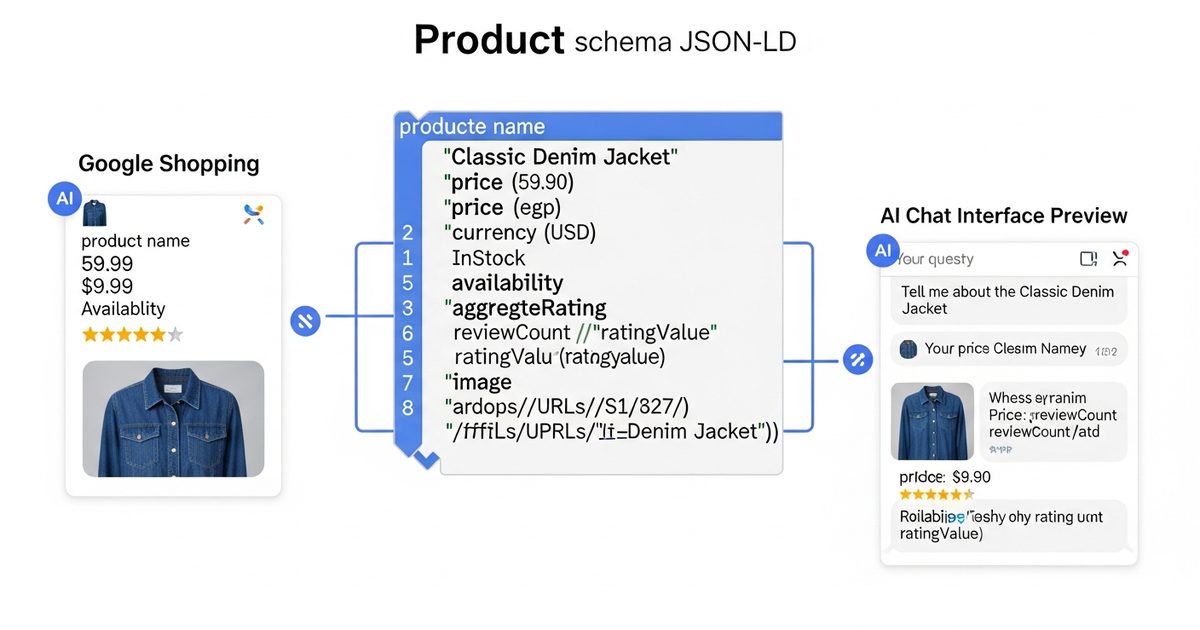
Product schema (also called Product Listing schema) is the structured data markup that tells search engines and AI systems exactly what you are selling, at what price, whether it is in stock, and how customers rate it. Without it, your product pages are just HTML with images and text. With it, your products can appear in Google Shopping panels, rich results with star ratings and prices, and increasingly in AI-assisted shopping responses from ChatGPT and Perplexity.
The gap between product pages with and without schema is measurable. Google's data consistently shows that rich results (enabled by Product schema) drive significantly higher click-through rates than standard blue-link results for commercial queries. In AI search, the stakes are even higher: AI engines that surface product recommendations prefer sources that provide structured, extractable product data over pages where they have to infer price, availability, and specifications from unstructured content.
This guide explains the key fields in Product schema, the most common implementation mistakes, and how to use AI Rank Lab's free product listing schema generator to create valid JSON-LD for any product page in minutes.
Product Schema: The Required and Recommended Fields
Google and AI engines use different subsets of Product schema fields. Here is what matters most for each purpose:
Required by Google for Rich Results
- name: The product name as it appears on the page
- image: URL of the product image (or array of image URLs)
- offers: Price and availability information (see Offer sub-schema below)
Strongly Recommended for Rich Results
- description: A clear product description matching visible page content
- sku: Your internal product identifier
- brand: Brand name as a nested Organization or Brand entity
- aggregateRating: Average rating and review count from customer reviews
- review: Individual customer reviews (at least one)
Critical for AI Shopping Features
- offers.price: Numeric price (do not include currency symbol in the price field)
- offers.priceCurrency: ISO 4217 currency code (USD, GBP, EUR, etc.)
- offers.availability: Schema.org URL (InStock, OutOfStock, PreOrder, etc.)
- offers.url: Direct URL to the product page
- offers.seller: Your store name as a nested Organization entity
- category: Product category for contextual relevance
Complete Product Schema Example
Here is a complete Product schema example for a software product (adaptable to physical or digital products):
{
  "@context": "https://schema.org",
  "@type": "Product",
  "name": "AI Rank Lab Professional Plan",
  "description": "AI search visibility platform covering SEO, AEO, and GEO analysis for up to 10 domains.",
  "image": "https://airanklab.com/images/product-pro-plan.jpg",
  "brand": {
    "@type": "Brand",
    "name": "AI Rank Lab"
  },
  "sku": "ARL-PRO-001",
  "category": "Software > SEO Tools",
  "aggregateRating": {
    "@type": "AggregateRating",
    "ratingValue": "4.8",
    "reviewCount": "142"
  },
  "offers": {
    "@type": "Offer",
    "url": "https://airanklab.com/pricing",
    "price": "99.00",
    "priceCurrency": "USD",
    "availability": "https://schema.org/InStock",
    "priceValidUntil": "2027-01-01",
    "seller": {
      "@type": "Organization",
      "name": "AI Rank Lab"
    }
  }
}
How to Use the Free Product Listing Schema Generator
AI Rank Lab's schema generator handles Product schema through a form interface that eliminates the need to write JSON by hand. The workflow:
Step 1: Open the Schema Generator and Select Product
Navigate to the schema generator tool and select "Product" from the schema type dropdown. The form will populate with all relevant fields organized by priority: required, recommended, and optional.
Step 2: Fill in Product Details
Enter your product name, description, image URL, brand, and SKU. For the offers section, enter your current price, currency, and availability status. If you have customer reviews, add the aggregate rating and review count. The form validates as you type - red borders indicate missing required fields or format errors.
Step 3: Add Offer Details
The Offer sub-section is where most implementation errors happen. Make sure to:
- Enter price as a number only - no dollar signs or commas
- Select the correct currency from the dropdown (not a text field)
- Choose the correct availability URL from the list (InStock, OutOfStock, etc.)
- Set
priceValidUntilto a future date if your price is stable, or omit it if prices change frequently
Step 4: Copy and Implement
The generator outputs a complete JSON-LD block. Paste it into the section of your product page HTML, add it through your e-commerce platform's custom code field, or inject it via Google Tag Manager. For Shopify, WooCommerce, Magento, and most major platforms, there are dedicated SEO apps or plugins that accept JSON-LD input directly.
Step 5: Validate
Submit your product URL to Google's Rich Results Test to confirm the schema is valid and your product is eligible for rich results. Check the "Detected items" list to verify all fields parsed correctly, particularly price and availability.
Product Schema for AI Shopping: What Is Different
AI shopping features - ChatGPT's shopping responses, Perplexity's product recommendations, Google's AI Mode shopping integration - use Product schema differently than traditional rich results. Here is what matters specifically for AI citation in shopping contexts:
Specificity in descriptions
AI engines use the description field to understand what problem a product solves and who it is for. Generic descriptions like "Professional quality tool for all users" are less useful than specific ones like "Designed for e-commerce stores with 100-10,000 SKUs, replaces manual schema tagging workflows." The more specific and contextual the description, the better AI engines can match it to user queries about specific use cases.
Category taxonomy
The category field helps AI engines correctly classify your product. Use a hierarchical category path (e.g., "Software > Marketing Tools > SEO Software") rather than a single generic category. This improves the probability that your product appears in AI responses to category-level queries ("best SEO tools for small businesses").
Up-to-date availability and pricing
AI shopping responses that cite incorrect prices or show out-of-stock products quickly lose user trust. AI engines increasingly check freshness signals - products with recently updated schema are more reliably cited than products with static schema that may be stale. Keep your product schema synchronized with actual inventory and pricing data, ideally through dynamic schema injection that pulls live values rather than hard-coded JSON-LD.
Multiple offers for variants
For products with multiple variants (sizes, colors, configurations), each variant should have its own offer entry in the schema. Using an AggregateOffer or an array of Offer objects within the offers field allows AI engines to present specific variants in their responses rather than a generic product reference.
E-commerce Platform Implementation Notes
Shopify
Shopify auto-generates basic Product schema but often misses aggregate reviews and category data. The Yotpo, Judge.me, or Okendo review apps inject review schema. For complete control, use the Shopify SEO custom code section or a dedicated schema app to override the auto-generated output with your custom JSON-LD.
WooCommerce
WooCommerce with the Yoast SEO or RankMath plugin generates Product schema automatically from your product data fields. The main gap is usually the category field - you need to ensure your WooCommerce categories map correctly to schema taxonomy. Check the generated output with the Rich Results Test to confirm all fields are populated.
Magento / Adobe Commerce
Magento has built-in structured data support but it is often not enabled by default and requires configuration. The Magento SEO Suite by Mageworx or similar extensions provide more complete Product schema generation. Validate against the Rich Results Test after any schema configuration change.
Custom-built stores
For custom platforms, use the AI Rank Lab schema generator to create a template for each product type (simple product, variable product, subscription product) and implement dynamic injection using your backend language to populate fields from your database. The generator output serves as the template; your backend fills in the variable fields at render time.
Common Product Schema Errors and How to Fix Them
- Missing price or currency: Google requires both
priceandpriceCurrencyin the Offer. Either alone is invalid. - Availability as text instead of URL: Use schema.org URLs (https://schema.org/InStock) not text strings ("In Stock").
- Rating without review count: AggregateRating requires both
ratingValueandreviewCount. A rating without a count is invalid. - Image URL not accessible: The image URL must return a valid image when crawled. Relative URLs or broken image links invalidate the schema.
- Description exceeding schema limits: Keep descriptions under 5,000 characters. Longer descriptions may be truncated or ignored.
Use the full AI Rank Lab audit tool to catch schema errors across all your product pages at once rather than testing pages individually.
Conclusion
Product schema is one of the most direct paths to improved e-commerce visibility - in traditional Google search (rich results, Shopping panels) and in AI shopping features that are growing rapidly in 2026. The implementation is straightforward when you use the right tools: AI Rank Lab's free schema generator handles the JSON-LD structure and the full tools suite identifies which of your product pages have gaps.
Start with your highest-traffic product pages, validate with the Rich Results Test, and use the full audit to prioritize schema implementation across your catalog. The combination of valid schema and quality product content positions your listings for both traditional and AI search visibility.
자주 묻는 질문
What is product listing schema markup?▾
How do I generate product schema without coding?▾
Does product schema work for digital products and SaaS?▾
What availability options does product schema support?▾
How do I implement product schema across thousands of products?▾
Get a Free AI Ranking Consultation
Want to improve your brand's visibility in AI search engines like ChatGPT, Gemini, and Perplexity? Fill out the form and our experts will create a personalized strategy for you.


