

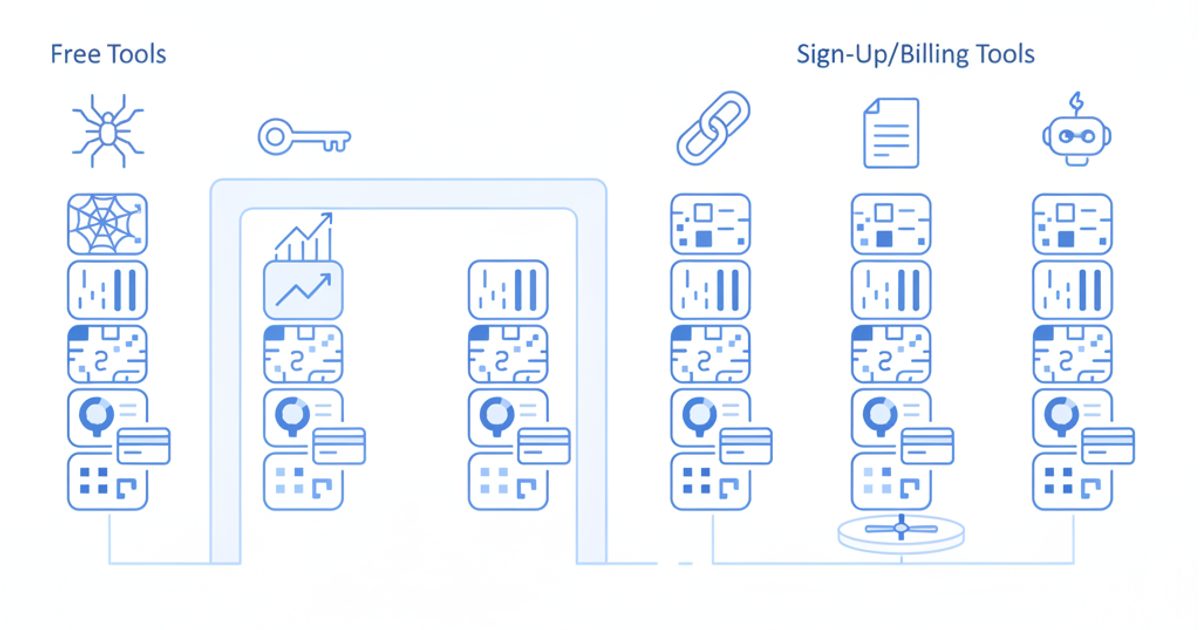
The best free SEO tools for 2027 are the ones Google and Microsoft give away with no published daily cap - Google Search Console, PageSpeed Insights and Bing Webmaster Tools - plus a crawler (Screaming Frog, free up to 500 URLs) and one freemium account for keyword and backlink lookups (Ahrefs Webmaster Tools for your own site, or Semrush's free plan at 10 queries a day). Most of them ask for an account. Only one tool on this list asks for billing details before it works: Google Keyword Planner.
This page lists 17 free tools by the job they do. For each one you get the free limit as the vendor prints it, whether you need to sign up, whether a card is involved, what is held back, and the price of the first paid step. Every limit and price was checked on November 11, 2026 on the tool's own page, and each one is linked so you can check it again.
Key takeaways
- Three tools cover most of what a small site needs and publish no daily cap: Google Search Console, PageSpeed Insights and Bing Webmaster Tools.
- Freemium limits are small and specific. Semrush's free account allows 10 queries a day and a 100-page site audit. Ahrefs Webmaster Tools gives 5,000 crawl credits a month per project, for sites you verify. Screaming Frog's free version stops at 500 URLs.
- "Free" and "no card" are different things. Google Keyword Planner costs nothing, but Google says you must enter billing information to finish account setup.
- No free tool gives you competitor backlinks at depth or daily rank tracking for more than about 10 keywords. That is where paying starts.
- For AI search, Google says it needs no special files or markup. The free checks worth running are crawler access in robots.txt and the generative AI report in Search Console.
- Of our own tools, five are free with no account and one (the SEO Analyzer) gives one free preview a day. Our backlink checker is not free, so it is not counted as an entry.
How we chose these free SEO tools
A tool had to pass three tests on November 11, 2026 to get on the list.
- Usable for free on the day, with no end date. A 7-day or 14-day trial is not a free tool. Neither is a free plan that needs a card on file to start.
- The limit is published by the vendor. We read each limit from the tool's own page, pricing page or help article, not from another list. Where the vendor's page gives no number, the table says "not stated" instead of guessing.
- It does a job a site owner actually has. Technical checks, rank and performance data, keywords, backlinks, on-page checks, or AI search readiness.
What disqualified a tool: we could not open its pricing or limits page on the day, or sources disagreed and we had no way to settle it. Moz is the main casualty. Its site blocked our fetch, and two recent lists give different numbers for its free account (10 Link Explorer queries a month in one, 2 searches a day in another), so we left it out instead of picking one.
How this was made: this is a comparison of published limits, not a lab test. We build and run our own tools, and we use Search Console on airanklab.com. Every other entry is based on the vendor's public pages, not on hands-on testing. Nobody paid to be included and there are no affiliate links.
Disclosure: AI Rank Lab is our product. We list it first because this is our site, and we've kept the same criteria for every tool below. Six of the 17 entries are ours. They are held to the same rules, including the one about stating the limit: where a tool of ours is not free, we say so.
We also read ten ranking "best free SEO tools" lists before writing. Five had no comparison table, eight had no method section, and none said for every entry whether you need an account or a card. Several were out of date in ways you can check: one titled for 2026 carries a "last updated" date of June 2024, and one still quotes 10,000 monthly crawl credits for Ahrefs Webmaster Tools where Ahrefs' own page now says 5,000.
Free SEO tools compared: limits, sign-up and first paid price
The table uses the same columns for every tool. "Sign-up" means an account is needed to use the free version. "Card" means payment details are asked for before the free version works. Limits and prices checked November 11, 2026.
| Tool | Job | Free limit (as published) | Sign-up? | Card? | Paid from |
|---|---|---|---|---|---|
| AI Rank Lab SEO Analyzer | Site audit (one page) | 1 free preview a day; one URL; 90+ checks | No | No | Full report 200 credits; plans from $69/mo |
| Screaming Frog SEO Spider | Site audit (crawl) | 500 URLs per crawl | Not stated (desktop download) | No | £199 per year |
| Ahrefs Webmaster Tools | Site audit, backlinks, keywords for your own site | 5,000 crawl credits a month per project; 1,000 backlinks and 1,000 keywords visible | Yes, plus site verification | Not stated | Starter $29/mo |
| Semrush free account | Keywords, backlinks, audit | 10 queries a day per tool group; Site Audit 100 pages; 10 tracked keywords | Yes | No | $139/mo |
| Seobility Basic | Site audit, rank tracking | 1 project; 100 pages per crawl; 10 keywords; 5 daily tool credits | Yes | No | €59.90/mo |
| Google Search Console | Rank and performance | No usage cap; exports from the interface stop at 1,000 rows | Yes, plus site verification | No | Free only |
| PageSpeed Insights | Performance | No cap stated; one URL per test | Not stated | No | Free only |
| Bing Webmaster Tools | Rank, audit, backlinks, keywords | No cap stated; up to 16 months of search data | Yes, plus site verification | No | Free only |
| Google Keyword Planner | Keyword research | No cap stated | Yes (Google Ads account) | Yes, billing information | Free only (ads cost extra) |
| Google Trends | Keyword demand over time | No cap stated; relative 0-100 scale, not volumes | Not stated | No | Free only |
| Ahrefs Backlink Checker | Backlinks (any site) | Not stated on the page; described as "a glimpse" of the paid tool | Not stated | No | Starter $29/mo |
| AI Rank Lab HTML Headings Checker | On-page | No cap stated; one URL per run; page under 5 MB | No | No | Free only |
| AI Rank Lab Meta Title and Description Checker | On-page | No cap stated; one URL at a time | No | No | Free only |
| AI Rank Lab Schema Generator | On-page (structured data) | No cap stated; six schema types | No | No | Free only |
| Google Rich Results Test | On-page (structured data) | No cap stated; one URL or code snippet | Not stated | No | Free only |
| AI Rank Lab llms.txt Checker | AI search readiness | No cap stated; live URL or pasted draft | No | No | Free only |
| AI Rank Lab Robots.txt Generator | AI search readiness | No cap; runs in your browser | No | No | Free only |
"Not stated" means the vendor's page does not say. We did not fill those cells from memory or from other lists.
Site audit and technical checks
For a site under 500 URLs, Screaming Frog's free version is the only crawler you need. For a single page you want graded quickly, use a one-URL analyzer. For a site you own and can verify, Ahrefs Webmaster Tools crawls more pages each month than any other free account here.
1. AI Rank Lab SEO Analyzer
Our SEO Analyzer renders one URL in a real browser on desktop, tablet and mobile and runs 90+ checks across nine sections, each graded from A+ to F-. The free preview needs no account and is limited to one a day.
- Free limit: 1 free preview a day, no account, one URL per run (tool page, checked November 11, 2026).
- Held back: backlinks, rankings, AI Overview citations, keyword volume and the AI content analysis. Those sit in the full report, which costs 200 credits and needs a sign-in. The 100 credits you get on sign-up do not cover it. Paid plans start at $69 a month.
- Best at: a fast read on one important page, because it grades the rendered page on three screen sizes instead of only the HTML source.
- Limitation: it is not a crawler. It will not find broken links or duplicate titles across a site.
- Skip it if: you need a full-site crawl today. Use Screaming Frog.
We compare this kind of tool in more depth in our guide to free SEO audit tools and what a website report should contain.
2. Screaming Frog SEO Spider
Screaming Frog is a desktop crawler that walks your site the way a search engine would and lists every URL with its status code, title, canonical and directives.
- Free limit: 500 URLs per crawl (pricing page, checked November 11, 2026). The paid licence is £199 per year and removes the limit.
- Best at: finding site-wide technical problems on a small site, because it crawls every page instead of sampling one.
- Limitation: it is desktop software you install, and even the paid version's ceiling depends on your computer's memory and storage.
- Skip it if: you do not want to install anything, or your site is well past 500 URLs.
3. Ahrefs Webmaster Tools
Ahrefs Webmaster Tools (shown as "Ahrefs Free" on the pricing page) gives free access to Site Audit, Site Explorer and Web Analytics for websites you verify.
- Free limit: 5,000 crawl credits a month per project, 1,000 backlinks and 1,000 keywords visible at once, on an unlimited number of verified websites (Ahrefs Webmaster Tools page, checked November 11, 2026). The first paid plan is Starter at $29 a month; Lite is $129.
- Best at: seeing who links to your own site, because Ahrefs' link index is available here without paying.
- Limitation: your own sites only. No competitor data.
- Skip it if: the question you have is about a competitor.
4. Semrush free account
Semrush lists a Free plan at $0, described as "for trying out the platform. No credit card required."
- Free limit: 10 queries a day each for domain overview, keyword research, competitor research and backlinks; Site Audit on 100 pages; Position Tracking for 10 keywords; one website to monitor (Semrush's free-account article, dated December 10, 2025, and its October 27, 2026 list, which repeats the same limits and adds 3 AI visibility checks a day). First paid plan: $139 a month.
- Best at: a quick look at a competitor's keywords or links, because competitor keyword and backlink lookups are included in the free quota.
- Limitation: ten queries a day go quickly once you start comparing competitors.
- Skip it if: you need more than a handful of lookups a day. The jump to the first paid plan is the largest on this list.
5. Seobility Basic
Seobility's free Basic plan is a small all-in-one account: one project, a 100-page crawl, 10 tracked keywords, 5 daily tool credits and 3 tracked AI prompts. Its pricing page says "No pressure, no credit card" (checked November 11, 2026). Premium is €59.90 a month plus VAT.
- Best at: a recurring audit of a very small site in one place, because the crawl, keyword tracking and checks sit in a single free project.
- Limitation: 100 pages per crawl is the smallest audit allowance here, level with Semrush.
- Skip it if: you already use Search Console and Screaming Frog. It adds little on top.
Rank and performance: Search Console, PageSpeed Insights, Bing
These three are the base of any free stack. They report measured data from the search engines themselves, and none of them publishes a daily limit for normal use.
6. Google Search Console
Search Console shows the queries, pages, clicks, impressions and average position Google recorded for your site, plus indexing and Core Web Vitals reports. Since August 31, 2026 it also includes a generative AI performance report for every site, showing impressions in AI Overviews and AI Mode.
- Free limit: no usage cap. Google states that "the maximum you can export through the Search Console user interface is 1,000 rows of data"; the API and Looker Studio connector allow 50,000 rows per day per site per search type (Google Search Central).
- Best at: telling you which queries you already rank for, because it is Google's own record and not an estimate.
- Limitation: average position is not a daily rank tracker, there is no competitor data, and rare queries are anonymized.
- Skip it if: never. Set it up first.
Is Search Console enough on its own? For a new site, nearly. It cannot crawl your site for broken links, and it cannot tell you anything about keywords you do not rank for yet. Those two gaps are what the other tools on this page fill.
7. PageSpeed Insights
PageSpeed Insights tests one URL and returns lab data plus, where available, field data from real Chrome users over the previous 28-day collection period. It grades the three Core Web Vitals against Google's thresholds: LCP good at 2.5 seconds or less, INP at 200 ms or less, CLS at 0.1 or less (PageSpeed Insights documentation).
- Free limit: none stated; one URL per test.
- Best at: showing whether real visitors get a fast page, because the field data comes from actual Chrome sessions.
- Limitation: low-traffic pages have no field data, so you only get the lab run.
- Skip it if: you want a whole-site view. Use the Core Web Vitals report in Search Console for that.
8. Bing Webmaster Tools
Bing Webmaster Tools is the most underused free tool on this list. Microsoft describes it as "free and full of powerful features": search performance with up to 16 months of data, URL Inspection, Site Scan for technical audits, backlink data for your site and competitors, keyword research, and import of verified sites from Search Console (Bing Webmaster Blog, June 17, 2025).
- Free limit: none stated.
- Best at: free competitor backlinks and keyword research in one account, which Google's free tools do not offer.
- Limitation: the search data is Bing's, and Bing's share of searches is far smaller than Google's.
- Skip it if: you cannot verify a site. The reports are for verified sites.
It also has an AI Performance report, in public preview since February 10, 2026, that counts how often your pages are cited in Microsoft Copilot and AI summaries in Bing.
Keyword research
Free keyword research is the weakest job on this list: exact volumes cost money almost everywhere. Use Search Console for what you already rank for, Google Trends for direction, and a freemium account for a few volume lookups a day.
9. Google Keyword Planner
Keyword Planner suggests keywords and shows search estimates inside Google Ads. It costs nothing to use, but it is the one tool here that fails the "without a card" test: Google's help page says "you must complete your account setup by entering your billing information to access basic features" (Google Ads Help, checked November 11, 2026).
- Best at: keyword ideas straight from Google's own data.
- Limitation: it is built for planning Search ad campaigns, and you hand over billing details to get in.
- Skip it if: you do not want a Google Ads account with payment details attached.
10. Google Trends
Google Trends shows how interest in a search term moves over time and by region. It does not show volumes. Google explains that each data point is divided by total searches for that place and time and "scaled on a range of 0 to 100" (Google Trends Help).
- Best at: choosing between two phrasings and spotting seasonal demand, because it compares terms on the same scale.
- Limitation: a score of 100 says nothing about whether a term gets 50 searches or 50,000.
- Skip it if: you need a monthly volume number.
We keep this section to two tools on purpose. Our full list of free keyword research tools covers the rest, and the free keyword research workflow shows how to combine them.
What free tools check backlinks?
For your own site, four free tools show backlinks: the Links report in Google Search Console, Bing Webmaster Tools, Ahrefs Webmaster Tools (1,000 backlinks visible) and Semrush's free account (10 backlink queries a day). For someone else's site, the free options are Bing Webmaster Tools, Semrush's 10 daily queries and the Ahrefs Backlink Checker.
11. Ahrefs Backlink Checker
The Ahrefs Backlink Checker takes any domain or URL and returns referring domains, backlinks, Domain Rating and Ahrefs Rank. The page calls the free version "a glimpse" of the paid tool and prints no number. Ahrefs' own list of free tools, last updated in May 2024, says it shows the top 100 backlinks.
- Best at: a first look at any site's strongest links without an account.
- Limitation: a preview only, and the current limit is not published on the tool page.
- Skip it if: you need the full link list or new and lost links over time.
Where our own tool stands: the AI Rank Lab backlink checker is not free. Each scan uses 150 credits and returns up to 100 linking pages, and the 100 sign-up credits do not cover one scan. So it is not an entry here. The toxic link checklist and anchor text analyzer on the same page need no account.
On-page checks
On-page checks are where free tools are as good as paid ones, because the job is reading one page's HTML. The four below need no account according to their own pages, or state no requirement.
12. AI Rank Lab HTML Headings Checker
The HTML Headings Checker counts H1 to H6 tags on a live URL, shows the outline indented, and flags a missing H1, multiple H1s, skipped levels and empty or very long headings. Free, no account.
- Limit: one URL per run; the page must be public, respond within 15 seconds and be under 5 MB.
- Limitation: it reads the HTML the server returns. Headings added by JavaScript will not appear.
- Skip it if: your site renders its content client-side. Use the SEO Analyzer preview instead, which renders the page.
13. AI Rank Lab Meta Title and Description Checker
The Meta Title and Description Checker fetches a page's live title and meta description, previews the desktop search result, counts characters, estimates pixel width and reads the Open Graph tags.
- Limit: one URL at a time; no daily cap is stated.
- Limitation: like the headings checker, it reads the HTML before JavaScript runs. Google also rewrites titles and descriptions, so the preview is what you asked for, not a promise.
- Skip it if: you need to check hundreds of pages. A Screaming Frog crawl lists every title in one pass.
14. AI Rank Lab Schema Generator
The Schema Generator turns a form into JSON-LD for six types: FAQ, How-To, Article, Review, Local Business and Person. It needs no account and runs in your browser.
- Limitation: the FAQ form takes one question per run and How-To stops at five steps. It checks that required fields are filled, not whether the page qualifies for a rich result.
- Skip it if: you need Product or Event markup, or a plugin already writes your schema.
15. Google Rich Results Test
Google calls the Rich Results Test "the official Google tool for testing your structured data to see which Google rich results can be generated", and recommends starting with it; the Schema Markup Validator handles generic schema.org validation "without Google feature specific warnings" (Google Search Central).
- Best at: confirming that markup you wrote or generated is valid for Google, because it is Google's own parser.
- Limitation: one page at a time, and passing the test does not guarantee a rich result is shown.
- Skip it if: you have no structured data yet.
Are there free tools for AI search readiness?
Yes, but start with what Google says: there is nothing special to add. Its guide to generative AI features states that "structured data isn't required for generative AI search", and that Google Search ignores AI text files such as llms.txt - they "will neither harm nor help your site's visibility or rankings in Google Search" (Google Search Central). An AI Overview can only cite a page that is indexed and eligible for a snippet, so the classic checks above are also your AI checks for Google.
Three free things are still worth doing:
- Read the first-party reports. Search Console's generative AI report and Bing's AI Performance report are the only free sources of measured AI visibility data. Both are impressions or citation counts, not clicks.
- Check that AI crawlers are not blocked by accident. That is a robots.txt job.
- If you publish an llms.txt, make it valid. Google ignores the file, and whether other assistants read it is not established, so treat it as optional.
16. AI Rank Lab llms.txt Checker
The llms.txt Checker tests a live file or a pasted draft against five structural rules from the llmstxt.org proposal and returns a score out of 100 with line-by-line fixes. Free, no sign-up.
- Limitation: it checks format, not effect. A perfect score does not make any assistant cite you, and our own tool page says the format "is not a ranking factor". The evidence is in does llms.txt improve AI citations?
- Skip it if: you have no llms.txt and no plan to write one. That is a reasonable position.
17. AI Rank Lab Robots.txt Generator
The Robots.txt Generator builds a robots.txt from templates or your own User-agent, Allow, Disallow and Crawl-delay rules, including AI crawlers such as GPTBot, OAI-SearchBot, ClaudeBot, PerplexityBot and Google-Extended. It runs in your browser with no account, and nothing you type is sent to our servers.
- Limitation: it writes the file; it does not test your live one or upload it for you.
- Skip it if: your CMS or SEO plugin already manages robots.txt. Edit it there so the two do not conflict.
What free tools barely do: run your prompts on ChatGPT, Claude, Gemini and Perplexity and record whether your brand is mentioned and which URLs are cited. The free allowances we found are tiny - Seobility's free plan tracks 3 AI prompts and Semrush lists 3 AI visibility checks a day. Past that it is paid, including with us.
What free SEO stack should a new site set up?
A new site needs five tools. This is the order we would set them up in.
| Step | Tool | What you do | Limit to know |
|---|---|---|---|
| 1 | Google Search Console | Verify the site, submit the sitemap | Interface exports stop at 1,000 rows |
| 2 | Bing Webmaster Tools | Import the verified site from Search Console, run Site Scan | Data is Bing's, not Google's |
| 3 | Screaming Frog SEO Spider | Crawl the site, fix broken links, missing titles and wrong canonicals | 500 URLs per crawl |
| 4 | PageSpeed Insights | Test the home page and one template of each type | No field data on low-traffic pages |
| 5 | Robots.txt generator plus one on-page checker | Confirm crawlers are allowed; check headings and titles on key pages | One URL per run |
| Later | Ahrefs Webmaster Tools or Semrush free | Check your backlinks; look up a few keywords a day | Own sites only (Ahrefs); 10 queries a day (Semrush) |
Do not sign up for everything at once. Each extra account is another dashboard nobody opens. Add the freemium account when you have a specific question the first five cannot answer.
When does paying for an SEO tool make sense?
Pay when you hit a published limit every week, not before. These are the limits that bite first, and what the next step costs (prices checked November 11, 2026).
- Your site passes 500 URLs. Screaming Frog's licence is £199 a year. For a crawler you use monthly, that is the cheapest upgrade on this page.
- You need competitor backlinks or keywords daily. Ahrefs Starter is $29 a month; Semrush starts at $139.
- You track more than 10 keywords. Both free rank trackers here (Semrush, Seobility) stop at 10.
- You want to know whether AI assistants mention you. Free allowances stop at about 3 prompts or checks. AI Rank Lab plans start at $69 a month, and sign-up includes 100 free credits with no card, about enough for one website audit or one brand visibility prompt run.
If you are comparing paid suites, our roundup of the best SEO tools for online marketers covers them with prices.
If none of those four apply to you, stay on the free stack. A small site with Search Console, a crawler and a habit of fixing what they report is ahead of a site with an unused $139 subscription.
Want the one-page check first? Run the free SEO Analyzer preview on your most important URL - no account, one a day.
Get a free AI ranking consultation
Want your brand to show up when ChatGPT, Gemini and Perplexity answer questions in your market? Tell us about your site and our team will send a personalized strategy.


