



The best WordPress SEO plugins going into 2027 are Rank Math if you want the most features without paying, Yoast SEO if you want the most widely installed plugin with a free llms.txt generator, and The SEO Framework or Slim SEO if you want something light that stays out of your way. SEOPress is the one we would pick for client sites, because white labelling is free and PRO starts at $49 a year. All in One SEO, SureRank and SiteSEO also made the list, each with a catch you should know about before installing.
Every install count, update date and price below was read from the plugin's own wordpress.org listing or the vendor's pricing page and checked on 11 November 2026. You get two comparison tables (the directory facts and prices, then AI search features), a short entry for each of the eight plugins, a Yoast vs Rank Math verdict, what Google says about llms.txt and schema, the settings that matter more than the plugin, and a migration checklist.
Key takeaways
- Eight all-round SEO plugins passed our filter. By active installs on wordpress.org on 11 November 2026: Yoast SEO 10+ million, Rank Math 4+ million, All in One SEO 2+ million, SiteSEO 400,000+, SEOPress and SureRank 300,000+ each, The SEO Framework 200,000+, Slim SEO 70,000+.
- All eight are listed as tested with WordPress 7.1.4. Seven shipped an update in the 15 days before we checked; SiteSEO's last release was 24 September 2026.
- Paid plans for one site run from $49 a year (SEOPress PRO, SiteSEO Pro) to $118.80 a year (Yoast SEO Premium). All in One SEO's $49.50 is a first-year price that renews at $99.
- llms.txt is free in Yoast, paid in SEOPress and SiteSEO, and marked "coming soon" in SureRank. Google says its Search does not use the file, so do not choose a plugin for it.
- Only The SEO Framework's listing describes blocking AI crawlers in the free plugin. Yoast puts its bot blocker in Premium. With most of the others you edit robots.txt yourself.
- No plugin makes a page eligible for AI Overviews or AI Mode. Indexing, snippets and the content do that. The plugin's job is clean titles, canonicals, sitemaps and schema that matches the page.
How we chose these plugins
We set the rules before picking names, then applied the same rules to every plugin on the first page of the wordpress.org "seo" tag. A plugin had to meet all four:
- It is an all-round on-page SEO plugin. It manages titles, meta descriptions, canonicals, robots directives and an XML sitemap. That rule removed caching plugins, standalone sitemap generators, schema-only add-ons, link tools and redirect managers, which pad most lists on this topic.
- At least 50,000 active installs on its wordpress.org listing.
- Updated in the last 60 days and listed as tested with the same WordPress release as the market leaders (7.1.4 on the day).
- A public listing and public documentation we could read without an account.
Rule 3 removed SEO SIMPLE PACK (100,000+ installs, tested only to 7.0.8). Rule 4 removed plugins that are not in the directory at all. Tools such as Semrush, Ahrefs or Google Search Console are not WordPress plugins, so they are not here either.
What this list is and is not. It is built on public data: each plugin's wordpress.org listing and API record, its changelog, its pricing page and its documentation, all read on 11 November 2026. We did not run speed benchmarks or install all eight on a test site for this article, so there are no scores and no "fastest" claims. Where a vendor page did not state something, the table says "not stated" instead of guessing. Ratings are given as counts, because a count tells you how many people bothered to review; the average scores sit between 80 and 98 out of 100 for all eight and separate them far less.
Disclosure: AI Rank Lab is our product. It is not an entry on this list, because it is not an SEO plugin. We mention it once further down, where it is relevant.
WordPress SEO plugins compared: installs, updates and prices
Yoast SEO has the largest install base by a wide margin, Rank Math is second, and the price gap between the cheapest and dearest paid plan for one site is about $70 a year. The table uses the same columns for every plugin. Prices are in US dollars, before tax, for the entry paid plan.
| Plugin | Active installs | Last updated (version) | Ratings | Notable free features | Entry paid plan |
|---|---|---|---|---|---|
| Yoast SEO | 10+ million | 27 Oct 2026 (28.8) | 27,820 | Content analysis, XML sitemaps, automatic schema graph, llms.txt | Premium: $118.80/year, one site |
| Rank Math SEO | 4+ million | 10 Nov 2026 (1.0.282) | 7,523 | Redirect manager, 404 monitor, robots.txt editor, 16+ schema types, 5 focus keywords per post | PRO: $5.59/month in year one, renews at $8.99/month, billed annually |
| All in One SEO | 2+ million | 4 Nov 2026 (5.0.5) | 5,232 | XML sitemap, schema markup, Search Console connection | Basic: $49.50 first year, renews at $99/year, one site |
| SiteSEO | 400,000+ | 24 Sep 2026 (1.4.2) | 8 | Titles and meta, XML and HTML sitemaps, IndexNow, content analysis | Personal: $49/year, one site |
| SEOPress | 300,000+ | 29 Oct 2026 (10.4) | 1,269 | XML sitemaps, IndexNow, per-post redirects, white label, one-click migration | PRO: from $49/year, one site |
| SureRank | 300,000+ | 9 Nov 2026 (1.11.0) | 55 | XML sitemap, robots.txt editor, JSON-LD schema, migration tool, bulk AI content generation | Pro: price not readable on the day (see below) |
| The SEO Framework | 200,000+ | 10 Nov 2026 (5.2.1) | 380 | Automatic titles and descriptions, sitemap, JSON-LD schema, AI crawler blocking, no ads or nags | Pro: $7/month paid yearly, 2 sites |
| Slim SEO | 70,000+ | 5 Nov 2026 (4.11.5) | 136 | Automatic meta and schema, redirects, 404 monitoring, robots.txt editor, AI meta with your own API key | Pro: $59/year, one site |
Source: each plugin's wordpress.org listing and API record, and each vendor's pricing page, checked 11 November 2026. wordpress.org reports installs in brackets ("4+ million"), not exact counts.
Two things in that table differ from what other lists say. Two 2026 roundups we read still quote "3+ million" for both Rank Math and All in One SEO; the directory showed 4+ million and 2+ million on the day we looked. And one widely read list gives Yoast "over 12 million", a figure the listing does not show. If a page does not say when it read the numbers, treat them as old.
Which plugins support AI search features?
Three features get sold as "AI search support": an llms.txt generator, controls for AI crawlers, and schema markup. Yoast is the only plugin here whose listing puts llms.txt in the free version, and The SEO Framework is the only one that describes AI crawler blocking in the free plugin. Here is what each vendor's own pages said on 11 November 2026.
| Plugin | llms.txt generator | AI crawler controls | Schema in the free version |
|---|---|---|---|
| Yoast SEO | Free. Yoast SEO - Settings - Site features - AI tools - LLMS.txt. Not available on multisite | "Bot blocker" for AI crawlers is Premium | Automatic schema graph; Premium outputs more types |
| Rank Math | Yes, an LLMS Txt module; the help page does not say which tier | Free robots.txt editor (Advanced Mode); you write the rules | 16+ schema types; PRO adds a schema builder |
| All in One SEO | Yes; tier not stated on the listing | robots.txt editor; tier not stated on the listing | Schema markup included, per the listing's FAQ |
| SiteSEO | Pro only | robots.txt editor is Pro | Knowledge Graph only; structured data types are Pro |
| SEOPress | PRO ("llms.txt and Agent Readiness") | robots.txt editor is PRO | Knowledge Graph and per-post schema fields; JSON-LD editor and automatic schemas are PRO |
| SureRank | Marked "coming soon" in the 1.11.0 changelog | Free robots.txt editor; you write the rules | JSON-LD output including BreadcrumbList |
| The SEO Framework | Not mentioned on the listing | Free: blocks "SEO analysis and AI crawlers" through robots.txt | JSON-LD structured data; the Articles extension is paid |
| Slim SEO | Not mentioned on the listing | Free robots.txt editor (Tools tab); you write the rules | Automatic JSON-LD; 30+ types and a visual builder are Pro |
Source: wordpress.org listings, changelogs and vendor help pages, checked 11 November 2026. "Not stated" and "not mentioned" mean the page was silent, not that the feature is absent.
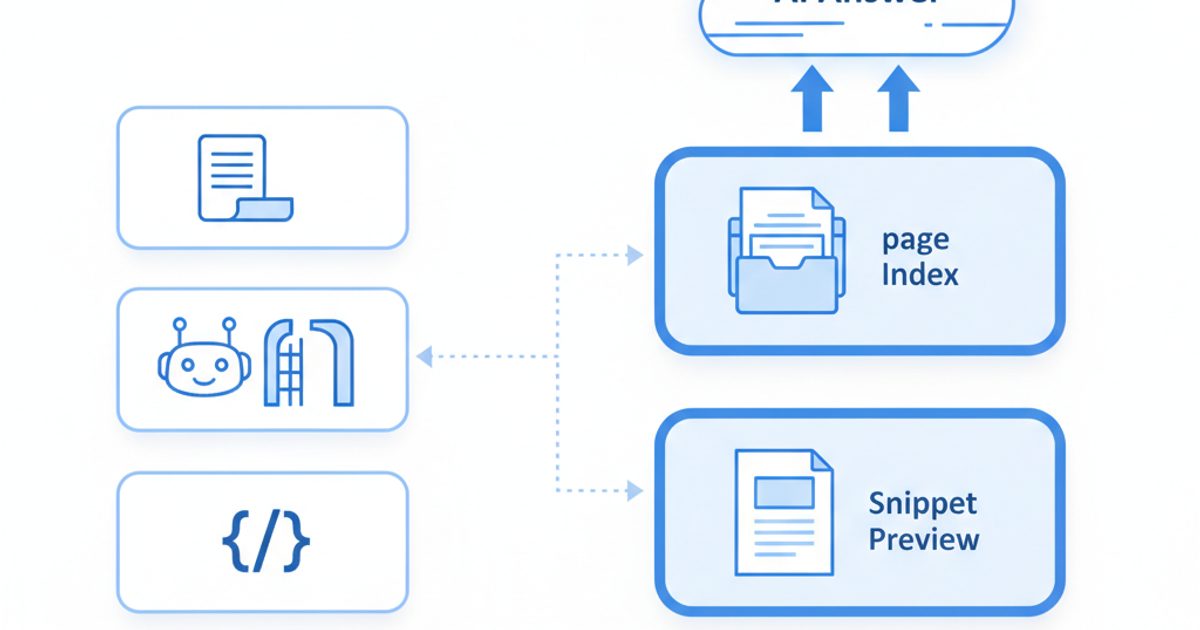
Read that table next to the section on whether you need a plugin for AI search. A free llms.txt toggle is a nice extra. It is a weak reason to switch plugins.
The eight plugins, one by one
1. Rank Math SEO - best free feature set
Best for: site owners who want redirects, a 404 monitor and several schema types without paying. Redirects are a paid feature in both Yoast and All in One SEO, while Rank Math's listing puts all three in the general feature list along with five focus keywords per post and one-click imports from Yoast, All in One SEO and SEOPress.
Price: PRO was $5.59 a month for the first year and $8.99 a month on renewal ($107.88 a year), billed annually, for unlimited sites you own; client sites need the Business plan ($17.59, renewing at $27.99 a month). Checked 11 November 2026. The pricing page printed dollar and euro figures together in our fetch, so confirm the dollar amount at checkout.
Limitation: the volume of modules and settings is the cost of all those features. The robots.txt editor only appears in Advanced Mode, and it will not work while a physical robots.txt file sits in your site root.
Who should skip it: anyone who wants to install a plugin and never open its settings. Pick The SEO Framework or Slim SEO instead.
2. Yoast SEO - best for a safe default with free llms.txt
Best for: teams that want the plugin most hosts, themes and tutorials assume. With 10+ million active installs and 27,820 ratings, it has the largest public track record of any plugin here, and its listing includes llms.txt management in the free version. Version 28.8 (27 October 2026) added "Yoast Abilities" for AI agents and schema feeds.
Price: Yoast SEO Premium is $118.80 a year before VAT, and one subscription covers one site. Yoast's pricing page says this plan replaces the old $99 Premium and the separate Local, Video and News add-ons. Checked 11 November 2026.
Limitation: the features people most often want next are paid: the redirect manager, IndexNow, AI-written titles and descriptions, and the AI bot blocker are all listed under Premium. Per-site licensing gets expensive across many sites.
Who should skip it: owners of several small sites who need redirects on each. Rank Math or Slim SEO give you redirects free.
3. SEOPress - best for agencies and client sites
Best for: freelancers and agencies. The listing states that white label is a free feature and promises "no tracking, no data footprint, no upsells in admin", which is what you want on a site a client logs in to. Its importer covers the longest list of rival plugins we saw, including Yoast, Rank Math, All in One SEO, The SEO Framework, SureRank, Slim SEO and SiteSEO.
Price: SEOPress PRO is shown as "from $49 / year" for one site, with 5-site and unlimited-site licenses above it. Checked 11 November 2026. We could not read the prices of the larger licenses on the pricing page itself, so check them there.
Limitation: the AI search extras are paid. llms.txt, the robots.txt editor, the JSON-LD schema editor and the full redirect manager are PRO features; the free plugin handles redirects only per post.
Who should skip it: a single-site owner who wants llms.txt or a redirect manager for nothing.
4. The SEO Framework - best for a quiet, automatic setup
Best for: people who want sensible titles, descriptions, canonicals and schema generated automatically, with no dashboard advertising. The listing says "No ads, no nags" and describes blocking AI crawlers from OpenAI, Apple and others through robots.txt in the free plugin. No other listing here describes that in a free version.
Price: the core plugin is free. Paid plans unlock the premium extensions: Pro at $7 a month paid yearly for 2 sites, Business at $17 for 20 sites, Agency at $27 for 200 sites. Checked 11 November 2026. The extensions page lists Focus, Articles, Local, Monitor, Cord and Honeypot as premium, and Transport (migration), AMP, Incognito, Origin and Title Fix as free.
Limitation: there is no general redirect manager in the core plugin, the listing does not mention llms.txt, and keyword-focused writing help is a paid extension. The speed claims on the listing ("under 1 ms") are the developer's own and we did not test them.
Who should skip it: writers who rely on a content score in the editor, and sites that need many redirects managed in one place.
5. Slim SEO - best lightweight plugin with free redirects
Best for: small sites that want almost no configuration but still need redirects. The free plugin generates meta tags, XML sitemaps (including image and news sitemaps) and JSON-LD on its own, and adds redirect rules, 404 monitoring and a robots.txt editor. AI-written titles and descriptions work with your own OpenAI, Google, Anthropic or OpenRouter key, so you pay the model provider and nothing to the plugin.
Price: Slim SEO Pro is $59 a year for one site, $119 for 10 sites and $179 for unlimited sites, renewing at the same price. Pro adds a visual schema builder with 30+ types, link suggestions, link health monitoring and Search Console data. Checked 11 November 2026.
Limitation: at 70,000+ installs and 136 ratings it has the smallest user base on this list, so fewer tutorials and fewer theme integrations assume it. The listing does not mention llms.txt.
Who should skip it: stores and publishers that want fine control over every schema type without buying Pro.
6. All in One SEO - best if you want one vendor for several sites and AI credits
Best for: owners of 3 to 10 sites who want llms.txt, a robots.txt editor, IndexNow and AI writing credits from a single vendor. The paid plans scale by site count and include AI credits: Basic covers 1 site with 10,000 credits, Plus 3 sites, Pro 10 sites, Elite 100 sites. The importer moves titles, descriptions and settings from Yoast, Rank Math and SEOPress, and pulls redirects from four redirect plugins.
Price: Basic $49.50, Plus $99.50, Pro $199.50 and Elite $299.50 for the first year. The pricing page states that "all renewals are at full price": $99, $199, $399 and $599 a year. Checked 11 November 2026.
Limitation: the second-year bill is double the first, and the redirect manager is a Pro feature. The listing also sends mixed signals about which schema features are free, and it does not say which tier includes llms.txt.
Who should skip it: anyone comparing on first-year price alone. Budget on the renewal figure.
7. SureRank - best newcomer to watch
Best for: people starting a new site who want a recent codebase and a free robots.txt editor. SureRank from Brainstorm Force joined the directory on 16 April 2025 and already shows 300,000+ active installs. Its listing describes a migration tool for Rank Math, All in One SEO and Yoast, and bulk AI content generation moved into the free plugin in version 1.10.0.
Price: the free plugin covers the basics. Pro adds a redirection manager, links manager, content analyzer and a one-click issues fixer. We could not read the plan prices on SureRank's pricing page on 11 November 2026 (the page did not render for our fetch), so we are not quoting one.
Limitation: it is young. It has 55 ratings, and the 1.11.0 changelog marks llms.txt, site checks and content signals as "coming soon". Redirects need Pro.
Who should skip it: established sites with years of metadata in another plugin. There is little to gain from moving yet.
8. SiteSEO - widely installed, thinly reviewed
Best for: sites that already have it. SiteSEO from Softaculous shows 400,000+ active installs, more than SEOPress, and its free version covers titles, sitemaps, IndexNow and content analysis with unlimited keywords.
Price: SiteSEO Pro is $49 a year for one site, $99 for 5 sites and $249 for unlimited sites. The page carried a "flat 25% off" banner when we checked on 11 November 2026 and did not say whether the listed prices already included it.
Limitation: only 8 ratings against 400,000+ installs, the oldest last-update date on this list (24 September 2026), and most of what matters is Pro: structured data, the robots.txt editor, redirects, 404 monitoring and llms.txt.
Who should skip it: anyone choosing a plugin from scratch. For the same $49 a year SEOPress PRO has far more public reviews behind it, and Rank Math gives you redirects and schema free.
Yoast vs Rank Math: which should you pick?
Pick Rank Math if the free version has to do everything, and Yoast if you would rather have fewer decisions and the bigger support base. That is the whole trade.
- Free features: Rank Math's listing includes a redirect manager, a 404 monitor, a robots.txt editor and 16+ schema types. Yoast's free version covers content analysis, sitemaps, its automatic schema graph and llms.txt; redirects and IndexNow are Premium.
- Price for one site: Yoast Premium is $118.80 a year. Rank Math PRO renews at $107.88 a year and covers every site you own, so the gap widens with each extra site.
- Install base: 10+ million against 4+ million, and 27,820 ratings against 7,523.
- Release pace: both shipped a release in the 15 days before 11 November 2026.
If you already run one of them and it works, stay. Switching SEO plugins on a site that ranks carries more risk than either plugin's missing feature is worth.
Do you need an SEO plugin for AI search?
No. Google's documentation is blunt: "There are no additional requirements to appear in AI Overviews or AI Mode, nor other special optimizations necessary." A page has to be indexed and allowed to show a snippet. An SEO plugin helps with those basics, and that is where its value for AI search ends.
What does Google say about llms.txt?
Google's generative AI optimization guide says: "You don't need to create new machine readable files, AI text files, markup, or Markdown to appear in Google Search." Even Yoast's own feature page does not claim that ChatGPT, Claude or Gemini read the file today. Turning it on costs nothing in Yoast. Paying for a tier to get it is hard to justify. We looked at the evidence in more depth in our llms.txt study write-up.
Is schema markup required for AI Overviews?
No. The same guide says "Structured data isn't required for generative AI search, and there's no special schema.org markup you need to add." Schema still earns rich results and helps machines identify your organization, authors and products, and Google asks that it "matches the visible text on the page". So judge a plugin's schema on accuracy, not on how many types it lists. Our guide to schema markup for AEO covers which types are worth adding by hand.
Should the plugin block AI crawlers?
That is a business decision the plugin only carries out. Blocking a training crawler such as GPTBot in robots.txt is different from limiting what Google shows: for Search, Google points to the nosnippet, data-nosnippet, max-snippet and noindex controls, and to Google-Extended for its other AI systems. Every plugin here sets per-page robots meta tags. For robots.txt you either use a built-in toggle (The SEO Framework free, Yoast Premium) or paste rules into the editor. Our robots.txt guide for AI crawlers has the rules ready to copy.
One thing no SEO plugin does is tell you whether AI assistants mention or cite your site. That is what AI Rank Lab is for: our WordPress plugin connects the site for AI referral tracking and one-click publishing, and it runs beside whichever SEO plugin you choose (integrations).
Settings that matter more than the plugin choice
A badly configured premium plugin loses to a free one set up properly. These seven checks apply to all eight plugins, and most take a minute each.
- Run one SEO plugin. Two active plugins can print two sets of titles, canonicals and schema on the same page.
- Untick "Discourage search engines from indexing this site" under Settings - Reading on the live site. It is the most common leftover from a staging build.
- Set a readable permalink structure under Settings - Permalinks before you publish, and avoid changing it later without redirects.
- Review the title and description templates for posts, pages, categories and products once, so no post type ships with a default you never read.
- Decide which archives get indexed. Tag, author, date and attachment pages are often thin; most plugins let you set them to noindex in one place.
- Fill in the site identity fields (organization or person, logo, social profiles). This feeds the organization data these plugins pass to search engines.
- Submit the plugin's XML sitemap in Google Search Console and check the robots.txt file that is really served. A physical robots.txt in the site root overrides the plugin's virtual one.
Hosting affects speed and uptime more than any of these plugins do; if that is your bottleneck, see our WordPress hosting comparison.
How to migrate between SEO plugins without losing metadata
Use the new plugin's importer while the old plugin's data is still in the database, and never leave both plugins active on a live site. Most plugins here ship an importer, but they do not all read the same sources.
| Moving to | Imports from (per its own listing or docs) |
|---|---|
| Rank Math | Yoast SEO and Yoast Premium, All in One SEO, SEOPress, All In One Schema Rich Snippets, and redirects from Redirection |
| All in One SEO | Yoast SEO and Premium, Rank Math, SEOPress; redirects from Redirection, Simple 301 Redirects, Safe Redirect Manager and 301 Redirects |
| SEOPress | Yoast, Rank Math, All in One SEO, The SEO Framework, SureRank, Slim SEO, SmartCrawl, Squirrly, SiteSEO and others |
| SureRank | Rank Math, All in One SEO, Yoast |
| The SEO Framework | Through the free Transport extension; the extensions page does not name the supported plugins |
| Slim SEO | "Popular SEO plugins"; the changelog names SEOPress and Squirrly among them |
| SiteSEO | One-click import of post and term metadata; the listing does not name sources |
| Yoast SEO | Not stated on the pages we read |
Source: wordpress.org listings and vendor documentation, checked 11 November 2026.
- Back up the database and note the current sitemap address.
- Record what you have. Crawl the site, or export from the old plugin, and save the title, meta description, canonical and robots directive for every indexable URL. This file is your proof later.
- Install the new plugin and run its importer before deleting anything. Importers read the old plugin's stored fields; if you remove the old plugin with its "delete data" option first, there is nothing to import.
- Deactivate the old plugin straight after the import, so only one plugin prints tags.
- Move redirects separately. Redirects often live in a paid module or a different plugin, and not every importer carries them. Export them as CSV if you can.
- Compare against your saved file. Check a sample of each template: home page, post, page, category, product. Look at the title, description, canonical, noindex flags and the schema in the page source.
- Resubmit the sitemap in Search Console if its address changed. Slim SEO, for example, serves it at /sitemap.xml.
- Keep the old plugin's data for a few weeks before cleaning up, in case you find a template the importer missed.
What we could not verify
- SureRank Pro prices. The pricing page did not render for us on 11 November 2026, so no price is quoted.
- SEOPress 5-site and unlimited prices. We confirmed "from $49 / year" and that three license sizes exist, not the two higher prices.
- Rank Math's dollar promo price. The page printed two currencies together. The dollar figures we give match the discount percentages on the page, and the renewal price matches the yearly total in its FAQ.
- Which tier holds llms.txt in Rank Math and All in One SEO. Their pages describe the feature without naming the plan.
- Speed. We ran no benchmarks, so nothing here ranks plugins by performance.
We will re-read the listings and pricing pages when plans change and update the tables and the date with them.
Our pick, in one paragraph
For a new site with no budget, install Rank Math and turn off the modules you do not need. For a site where several people publish and nobody wants to maintain settings, use Yoast free and add Premium only when you need redirects. For client work, use SEOPress. For a small site you want to forget about, use The SEO Framework or Slim SEO. Then spend the time you saved on the content, because that is what gets cited. If you want to see whether ChatGPT, Gemini, Perplexity or Google's AI features mention your site once it is set up, AI Rank Lab's brand visibility checks start with 100 free credits and no card.
Get a free AI ranking consultation
Want your brand to show up when ChatGPT, Gemini and Perplexity answer questions in your market? Tell us about your site and our team will send a personalized strategy.


