



MCP for SEO means connecting an AI assistant such as Claude to live SEO data - Search Console, GA4, keyword and SERP data, AI citation checks - through the Model Context Protocol, so one chat can pull the numbers, join them and draft the fix. The protocol does not make the model better at SEO. It removes the export-and-paste step and lets one prompt chain several data sources, which is where the time goes in most SEO analysis.
This guide gives you a 5-step setup in Claude, a table of SEO-relevant MCP servers we checked against each vendor's own documentation on October 24, 2026, and 10 copy-paste workflows. Each workflow lists the goal, the tools it calls, the exact prompt, what good output looks like, and what a run costs. It closes with the limits and security controls the vendor guides mostly skip.
Key takeaways
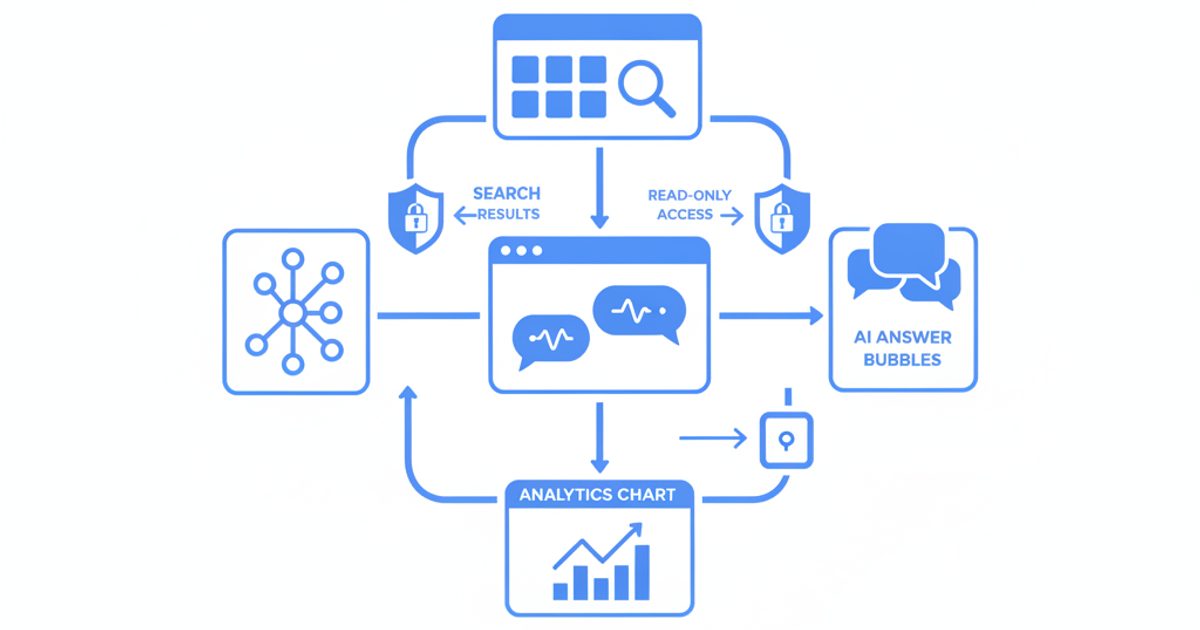
- MCP is a connector standard: the AI client calls tools on an MCP server, the server calls the real API, and the results land in the chat. The answer is only as good as the data and your checking.
- Setup in Claude takes five steps: get credentials, add a custom connector, authenticate, enable it per chat, then test with a free call.
- Semrush, Ahrefs, SE Ranking, DataForSEO, Google Analytics and AI Rank Lab all publish MCP servers. As of October 24, 2026 we found no official Google Search Console MCP server, only community ones.
- The ten workflows below cost from 0 to about 1,000 AI Rank Lab credits per run. Running all ten once uses about 3,300 credits.
- One AI citation check is a sample, not a measurement: in our tracking data, 42.9% of prompt-engine pairs flipped between "mentioned" and "not mentioned" across repeated runs.
- SEO workflows mix private data (Search Console, GA4) with untrusted content (SERPs, competitor pages). Keep scopes read-only and switch off write tools unless you need them.
What is MCP, and how does it connect Claude to SEO data?
The Model Context Protocol is "an open-source standard for connecting AI applications to external systems." Its own docs compare it to a USB-C port for AI apps: one standard plug instead of a custom integration for every pairing of tool and assistant. Claude, ChatGPT, Cursor and VS Code all support it.
In an SEO setup there are three parts:
- The host and client - Claude (web, desktop or Claude Code), ChatGPT, Cursor. This is where you type the prompt.
- The MCP server - a thin layer a vendor runs over its API. It publishes a list of tools, such as "get Search Console performance" or "fetch the Google AI Overview for a query", each with a name, a description and typed inputs.
- The data source - the real API behind the server: the Search Console API, the GA4 Data API, a SERP provider, a backlink index.
When you ask a question, the model reads the tool descriptions, decides which tools to call and with what inputs, and receives the results as structured text in its context. It can then call another tool based on what came back. That chaining is the useful part: "find pages that lost clicks, then check who now ranks above them" turns into one prompt instead of two exports and a spreadsheet.
Servers come in two shapes. Remote servers run on the vendor's infrastructure over Streamable HTTP, so you only paste a URL and credentials. Local servers run on your machine (usually via npx, pipx or Docker) and talk to the client over stdio. Local servers keep credentials on your device but need installing, and the Claude web app cannot reach them.
Is MCP better than an API for SEO work?
Neither is better in general. They do different jobs. An API is the right tool for anything fixed and repeatable: nightly rank pulls, dashboards, alerts, bulk exports. MCP is the right tool for questions you have not asked before, because the model writes the queries for you and can join sources on the fly. Most MCP servers are built on the vendor's API and bill the same units, so you are not choosing a different dataset, only a different interface.
How to set up an SEO MCP server in Claude (5 steps)
The steps below follow Anthropic's custom connector guide as it read on October 24, 2026. Custom connectors are available on Free, Pro, Max, Team and Enterprise plans; Free accounts are limited to one.
- Get the server URL and credentials. Each vendor documents a remote URL and either an OAuth sign-in or an API key. For AI Rank Lab, the endpoint is
https://www.airanklab.com/api/v1/mcp, and the key and secret are generated in the dashboard under API & Integrations (setup docs). - Add a custom connector. In Claude, go to Customize > Connectors, click "+ Add", then "Add custom connector". Enter a name and the remote MCP server URL, then click "Continue". On Team and Enterprise plans an Owner adds it under Organization settings > Connectors, and members then click "Connect".
- Authenticate. Choose "Sign in now" for OAuth servers (Semrush, Ahrefs, SE Ranking), or add fixed credentials under "Request headers" for API-key servers. Review the permissions the sign-in screen asks for and deny anything you do not need.
- Enable it per conversation and set tool permissions. In a chat, click "+", then "Connectors", and toggle the server on. Switch off individual tools you will not use, especially anything that writes or publishes.
- Test with a free call. Ask for something that costs nothing and proves the connection, such as "List my connected Search Console properties" or "What is my credit balance?". If the tool list is empty or authentication loops, recheck the URL exactly (host, path, no trailing
/sse).
Our own MCP docs show an older Claude.ai method that puts the key and secret in the URL query string, written before the connector dialog had a request headers field. If your dialog shows "Request headers", use it: credentials in a URL can end up in server access logs.
In Claude Code, one command adds a remote server. This is the documented AI Rank Lab example:
claude mcp add --transport http airanklab https://www.airanklab.com/api/v1/mcp \
  --header "x-api-key: YOUR_API_KEY" \
  --header "x-api-secret: YOUR_API_SECRET"
Run /mcp inside a session to check status or finish an OAuth sign-in. The Claude Code MCP docs explain the three scopes: local (default, just you), project (written to a shared .mcp.json) and user (all your projects). If you work in a terminal and are weighing other coding agents, our Claude Code alternatives comparison compares the other terminal coding agents.
Can ChatGPT use SEO MCP servers too?
Yes. OpenAI's MCP documentation describes adding a remote server from the plus menu via "Add custom MCP server", entering the URL and authentication, and accepting a risk warning. Which ChatGPT plans can add custom servers, and whether write actions are allowed, has changed several times since 2025 and differs between personal and workspace plans, so check OpenAI's current help pages before you plan a team rollout around it. The same remote server URL works in both clients.
Which SEO tools have MCP servers? (checked October 24, 2026)
Disclosure: AI Rank Lab is our product. We list it first because this is our site, and we've kept the same criteria for every tool below. Every row was checked against the vendor's own documentation or pricing page on October 24, 2026. Endpoints and plan rules change often, so treat this as a starting point and confirm on the day you connect.
| Server | What data it exposes | Connection and auth | Pricing model | Read or write |
|---|---|---|---|---|
| AI Rank Lab (SEO MCP server) | Keyword research, live Google SERP, AI Overview and AI Mode by country and device, ChatGPT/Claude/Gemini/Perplexity citation checks, SEO+AEO+GEO audits, Core Web Vitals, backlinks, your GA4 and Search Console data, AI bot visits | Remote, Streamable HTTP. API key and secret in headers. 60 requests per minute per key | Credits from your plan (Starter is $69/month for 10,000 credits). GA4, Search Console and account tools cost 0 credits | Read-only on your site and Google accounts. Can add domains and create tracked prompts |
| Semrush | SEO API methods, Trends API, read-only Projects data | Remote at mcp.semrush.com/v2/mcp. OAuth by default, or Authorization: Apikey | API units. Semrush One Starter, Pro+, SEO Classic Pro or Guru include 50,000 units; larger unit packages exist | Read-only (Projects cannot be changed) |
| Ahrefs | Ahrefs API data such as keywords and backlinks | Remote at api.ahrefs.com/mcp/mcp. OAuth consent creates a key with MCP scope | Paid plans from Lite. Calls use your monthly API units; OAuth-created keys default to a 200,000-unit monthly cap | Read. Interactive client use only; scripts must use the REST API |
| SE Ranking | Data API, Project API (rank tracking, audits), Local Marketing API, SE Visible AI visibility data | Remote at api.seranking.com/mcp. OAuth 2.1 or X-Api-Key | Depends on subscription; not every API endpoint is available through MCP | API keys have full account access; read-only keys not yet offered |
| DataForSEO | SERP, keyword data, on-page, DataForSEO Labs | Remote at mcp.dataforseo.com/http with Basic auth (Base64 of login:password), or local via npx | Pay-as-you-go: $50 minimum top-up, $1 trial credit, SERP API from $0.0006 per SERP | Read |
| Google Analytics (official) | GA4 reports, realtime, funnels, property details | Local (pipx run analytics-mcp). Google Application Default Credentials, analytics.readonly scope | Free; needs a Google Cloud project with the Admin and Data APIs enabled | Read-only |
| Google Search Console (community) | Search analytics, period comparison, URL inspection, sitemaps | No official Google server. The most-used community one, mcp-gsc, runs locally with OAuth or a service account | Free, open source (MIT) | Mostly read. Sitemap submit/delete exists; site deletion is off by default |
| AI visibility trackers (Peec AI, Otterly AI, Profound) | Your tracked prompts, mentions, citations, share of voice | Remote connectors; Profound's is listed for Enterprise customers | Part of each tracker's subscription | Read (Profound announced write features in May 2026 as coming later) |
Where the others are the better choice: if you already pay for Semrush or Ahrefs, their MCP servers give you the deepest historical keyword and backlink indexes at no extra subscription, so start there. DataForSEO is the cheapest per raw request if you are comfortable with unprocessed API responses. Google's own Analytics server keeps GA4 data between your machine and Google. And if your AI visibility history already lives in Peec AI, Otterly or Profound, their connectors read it without a migration. AI Rank Lab's case is coverage in one connector: live Google AI Overview and AI Mode checks, four-engine citation checks, audits and your GA4/Search Console data behind one key.
Is there an official Google Search Console MCP server?
Not as of October 24, 2026. Google publishes an official Google Analytics MCP server (read-only, labeled experimental), but every Search Console route is third-party code calling the public Search Console API. Your options: a community server such as mcp-gsc (read its code first, since it holds your Google credentials), or a platform that already connects Search Console and exposes it as a tool, such as AI Rank Lab's gsc-performance. Our guide to connecting an AI agent to Google Search Console compares six methods in detail.
The 10 SEO workflows at a glance
Each workflow below follows the same format: goal, tools, exact prompt, what good output looks like, cost and limits. The tool names are AI Rank Lab's because those are the ones whose rates we can state precisely (from our own MCP server, checked October 24, 2026). With another vendor, swap in its equivalent tool and its unit costs.
| # | Workflow | Tools called | Credits per run | Main limit |
|---|---|---|---|---|
| 1 | Keyword research to an AI-aware brief | keyword-research-estimate, keyword-research, google-ai-overview | About 700-900 | Volumes are monthly estimates |
| 2 | Diagnose pages losing Search Console clicks | gsc-performance, google-search | About 300 | Data lags a few days; no AI-feature split |
| 3 | AI Overview vs AI Mode citation gap | google-ai-overview, google-ai-mode | 1,000 (5 queries) | One country and device per call |
| 4 | Citation check across four AI assistants | ai-citation-check | 400 per prompt | A single run is noisy |
| 5 | Citation history to an outreach list | list-prompts, prompt-citations, bulk-domain-authority | 25 | Needs stored prompt runs |
| 6 | Audit to a ranked fix list | seo-aeo-geo-audit, core-web-vitals | 375 (5 URLs) | Slow calls return a job ID |
| 7 | GA4 AI referral report | ga4-properties, ga4-report, tracking-stats | 0 | Referrers are often stripped |
| 8 | Competitor link-source gap | referring-domains, bulk-domain-authority | 100 | Index smaller than Ahrefs/Semrush |
| 9 | High-impression, low-CTR rewrites | gsc-performance, google-search, faq-generator | 0-320 | Top 1,000 rows per call |
| 10 | Weekly client report pack | gsc-performance, ga4-report, citations, tracking-stats, credits | 0 | Runs only when someone prompts it |
Running all ten once costs about 3,300 credits, roughly a third of the Starter plan's 10,000 monthly credits (pricing checked October 24, 2026). Your Claude plan's usage limits apply on top, because tool results consume context.
Workflow 1: Keyword research to a brief that accounts for AI Overviews
Goal: pick a target keyword and write a brief that reflects what Google's AI Overview already cites, not just the blue links.
Tools: keyword-research-estimate (free), keyword-research, google-ai-overview.
First call keyword-research-estimate for the seed keywords ["payroll software for startups", "startup payroll"] in the United States and tell me the expected and maximum cost. If the maximum is under 800 credits, run keyword-research. Keep keywords with monthly volume of at least 100 and difficulty of 30 or less. For the three with the highest volume, run google-ai-overview from the United States on mobile with domain mysite.com and competitors ["competitor-a.com", "competitor-b.com"]. Then write a brief for the best keyword: intent, the People Also Ask questions, which URLs the AI Overview cites, and what our page must answer to be a credible source. Quote volumes and cited URLs exactly as the tools returned them, and label anything you infer as an inference.
Good output: a filtered keyword table (volume, difficulty, intent, trend), a yes/no AI Overview flag for each of the three, the cited URLs listed verbatim, and a brief whose sub-questions trace back to People Also Ask. A red flag is a volume that appears in the brief but not in the tool response.
Cost and limits: keyword research is billed per data lookup at 100 credits each. A one-seed run typically uses 4 lookups (400 credits) and a three-seed run 6 (600). The maximum is reserved up front and unused credits are returned. Three AI Overview lookups add 300. An absent AI Overview is a valid result, not an error.
Workflow 2: Diagnose pages losing Search Console clicks
Goal: separate a demand drop, a ranking drop and a SERP change (often a new AI Overview) for the pages that lost the most clicks.
Tools: gsc-performance (free), google-search.
Use gsc-performance for sc-domain:mysite.com with dimensions ["page"], first for the last 28 days and then for the 28 days before that. List the 10 pages with the largest absolute click loss, showing clicks, impressions, CTR and average position for both periods. Classify each page: (a) impressions down, so demand or ranking loss; (b) impressions flat but CTR down, so the SERP changed; (c) position down. For the three biggest losers, pull dimensions ["query", "page"] filtered to that page, take the top query, and run google-search for it from the United States on desktop with domain mysite.com. Tell me who now ranks above us and whether an AI Overview is shown.
Good output: a two-period table with a classification per page and, for the three biggest losers, the live SERP evidence. Pattern (b) with an AI Overview present is the classic "ranking held, clicks fell" case.
Cost and limits: the Search Console calls are free; three SERP checks cost 300 credits. Search Console data arrives a few days late, and the API cannot return the Generative AI performance report that Google added in June 2026, so confirm AI-feature impressions in the Search Console interface. Our walkthrough of the Search Console Generative AI report shows how to read it alongside this workflow.
Workflow 3: Find your citation gap in Google AI Overviews and AI Mode
Goal: see, for your money queries, which sources Google's two AI surfaces trust and where you are missing.
Tools: google-ai-overview, google-ai-mode.
For each of these five queries [list], run google-ai-overview and google-ai-mode from the United Kingdom on mobile, with domain mysite.com and competitors ["competitor-a.com", "competitor-b.com", "competitor-c.com"]. Build a matrix: query, surface, answer shown (yes/no), we are cited (yes/no, with URL), competitors cited (with URLs), and all other cited domains. Then list the third-party domains cited on at least two queries where we are absent, and say what kind of page each one is (review site, listicle, forum, documentation).
Good output: a 10-row matrix and a short list of recurring third-party sources. Those sources are your outreach and content targets, because they are what Google is grounding answers in for your topic.
Cost and limits: 100 credits per call, so 1,000 for five queries on both surfaces. Each call is one country and one device; results differ between mobile and desktop, so measure the device your buyers use. The search-locations tool (free) lists supported markets. For ongoing checks, the AI Overview tracker stores each run.
Workflow 4: Check whether ChatGPT, Claude, Gemini and Perplexity cite you
Goal: a spot check of your presence in the four main AI assistants for one buyer question, with the sources each one used.
Tools: ai-citation-check.
Run ai-citation-check for the prompt "What is the best payroll software for a 20-person company in the UK?" with domain mysite.com and competitors ["competitor-a.com", "competitor-b.com"]. Report per engine: mentioned (yes/no), cited (yes/no, with exact URLs), position in the answer, sentiment, and competitors that appeared. Then list third-party domains cited by two or more engines. Treat this as one sample and do not generalize beyond this run.
Good output: a four-row table plus the shared-source list. The instruction not to generalize matters, because the model will otherwise turn one run into a verdict.
Cost and limits: 100 credits per engine, 400 for all four; name fewer engines to cut the cost. AI answers vary a lot between runs. Across 972 repeated runs of 42 prompt-engine pairs tracked in AI Rank Lab (February 13 to October 22, 2026, pairs with at least five successful runs), 42.9% of pairs flipped between mentioned and not mentioned at least once, and consecutive runs of the same pair shared a median of only 41% of their cited domains. Before you act on a result, repeat the check on different days or track the prompt with brand visibility, which stores every run you make so you can compare them.
Workflow 5: Turn tracked-prompt citation history into an outreach and content list
Goal: use the citation history you already have, rather than new live checks, to find the pages AI engines keep citing for your prompts.
Tools: list-prompts (free), prompt-citations (free), bulk-domain-authority.
List my active prompts for mysite.com in the "alternatives" and "comparisons" categories. For each, call prompt-citations with days set to 90. Build a table of the domains that won citations across the most prompts, with the specific URLs, and tag each as ours, a competitor, or a third party (review site, listicle, forum, publisher). Run bulk-domain-authority on the third-party domains. Recommend which third-party pages to pitch for inclusion and which topics need a page of our own, citing the prompt IDs behind each recommendation.
Good output: a ranked source table with authority scores and two short action lists, each tied to prompt IDs you can audit. Our content gap analysis workflow explains how to score the gaps this surfaces.
Cost and limits: 25 credits for the authority lookup; the rest is free. The output is only as good as the prompt runs you have stored, so a new account with a handful of runs will produce a thin list. Choosing the right prompts in the first place is its own job.
Workflow 6: Audit a set of pages and get one ranked fix list
Goal: audit a template group (for example five product pages) and get a single list of fixes ranked by impact, rather than five separate reports.
Tools: seo-aeo-geo-audit, core-web-vitals.
Run seo-aeo-geo-audit on these five URLs [list] and core-web-vitals with strategy "mobile" on each. Merge the findings into one fix list ranked by number of pages affected multiplied by severity. For each fix give: the finding as the tool stated it, the affected URLs, the exact change to make, and whether it is a template-level or page-level fix. Leave out anything the tools did not report.
Good output: a deduplicated list where template problems (missing structured data, slow LCP on every page) rise to the top and one-off issues sink. "Leave out anything the tools did not report" stops the model padding the list with generic advice.
Cost and limits: 50 credits per audit and 25 per Core Web Vitals scan, so 375 for five URLs; failed calls are refunded. Each call has a 120-second budget. If an audit runs longer, the tool returns a job ID to poll instead of the result, and the model needs to wait for it. The same three-pillar report is available in the SEO, AEO and GEO audit tool if you prefer a UI.
Workflow 7: Build a GA4 report of AI assistant referrals
Goal: see how many sessions ChatGPT, Gemini, Perplexity, Claude and Copilot send, which pages they land on, and whether those visits engage.
Tools: ga4-properties, ga4-report, tracking-stats (all free). Google's official Analytics MCP server's run_report tool does the same GA4 part.
Call ga4-properties and use the property for mysite.com. Run ga4-report for the last 90 days with dimensions ["sessionSource", "landingPage"], metrics ["sessions", "engagedSessions", "keyEvents"] and limit 1000. Keep only rows where sessionSource contains chatgpt.com, perplexity.ai, gemini.google.com, claude.ai or copilot. Group by assistant, then show the top 10 landing pages per assistant with engagement rate. Finally call tracking-stats for mysite.com and compare AI bot visits on those pages with the referral sessions they received.
Good output: a per-assistant table, top landing pages and a crawl-versus-referral comparison that shows which pages AI crawlers read but never send visitors to.
Cost and limits: free. Expect small numbers and an uneven split. Across 3,764 AI-assistant referral page views recorded by the AI Rank Lab tracking tag on 30 sites (July 2025 to October 2026), ChatGPT accounted for 55.8%, Gemini 17.9%, Perplexity 12.5%, Claude 12.2% and Copilot 1.6%, and the median site's AI referrals were only 0.21% of its tracked page views. Some assistants strip the referrer, so GA4 undercounts them. Our guide to an AI agent for GA4 covers the other ways to query GA4 in plain English. The tracking-stats step needs the AI Rank Lab tag installed (GA4 integration).
Workflow 8: Find link sources your competitors share and you lack
Goal: a short, authority-ranked list of domains that link to two or more competitors but not to you.
Tools: referring-domains, bulk-domain-authority.
Run referring-domains with limit 200, sorted by rank, for competitor-a.com, competitor-b.com and mysite.com. List the domains that link to both competitors but not to us, with rank, spam score, number of backlinks and first-seen date. Drop anything with a spam score above 30. Run bulk-domain-authority on the remainder and group them by type (publisher, directory, community, vendor). Suggest the 10 most realistic targets and say why for each, based only on these fields.
Good output: a set-difference table and ten targets, each justified by the returned fields rather than guesses about the site.
Cost and limits: 25 credits per referring-domains call and 25 for the authority batch, so about 100. Any backlink index is a sample of the web; if you already pay for Ahrefs or Semrush, their larger indexes are the better source for this workflow.
Workflow 9: Rewrite answers for high-impression, low-CTR queries
Goal: find queries where you rank on page one but get few clicks, check what the SERP looks like, and draft a better title and direct answer.
Tools: gsc-performance (free), google-search, optionally faq-generator.
Run gsc-performance for the last 28 days with dimensions ["query", "page"] and rowLimit 1000. Keep rows with average position between 3 and 10 and at least 500 impressions. Group them into position buckets (3-4, 5-7, 8-10) and calculate the median CTR for each bucket from this data only. Flag rows whose CTR is below half their bucket's median. For the top three by impressions, run google-search from the United States on mobile and describe the SERP features above our result. Then draft a new title, meta description and 40-60 word direct answer for each page.
Good output: benchmarks calculated from your own data (not an industry CTR curve the model half-remembers), plus SERP evidence explaining each low CTR.
Cost and limits: the Search Console part is free; three SERP checks are 300 credits and an FAQ draft is 20. The tool returns at most 1,000 rows per call, so large sites should filter by folder or country.
Workflow 10: Assemble a weekly client report pack
Goal: one prompt that produces the week-over-week summary an agency sends every Monday.
Tools: gsc-performance, ga4-report, citations, tracking-stats, credits (all free).
For mysite.com, compare the last 7 complete days with the 7 days before. From gsc-performance: clicks, impressions, CTR, position, and the five queries and pages with the biggest gains and losses. From ga4-report: sessions, engaged sessions and key events by sessionDefaultChannelGroup, plus AI assistant referrals. From citations (days 14) and tracking-stats: AI engine citations and AI bot visits. Write a one-page summary with a short table per source, three observations and three actions. Put every number in the table first and only then interpret it.
Good output: a consistent, auditable page where every claim sits next to its number.
Cost and limits: no credits, only your Claude usage. MCP runs when someone sends the prompt; nothing here runs by itself. AI Rank Lab does not run your prompts on a schedule either. Its one automatic re-check is the Action Plan citation tracker, which re-checks the prompts you opt in once a week. If you want this report generated unattended, run it from a scheduled job using Claude Code's non-interactive mode, and review it before it reaches a client.
What do SEO MCP workflows cost?
You pay in three places: the AI client's subscription or usage limits, the data provider's units or credits, and your time checking the output. The middle one is where costs surprise people, because the model decides how many tool calls to make.
- Credit-based servers such as AI Rank Lab price each tool call. Live Google lookups cost 100 credits each, audits 50, and GA4, Search Console and account tools 0. A free estimate tool quotes keyword research before you run it.
- Unit-based servers such as Semrush and Ahrefs draw from the same monthly API units as their REST APIs, and each request consumes units according to report type and rows returned. Ahrefs caps OAuth-created MCP keys at 200,000 units a month by default, which admins can change.
- Pay-as-you-go servers such as DataForSEO bill per request against a prepaid balance (minimum top-up $50).
- Google's own APIs (GA4, Search Console) are free to call within quota, whichever server you use.
Three habits keep the bill predictable: put numeric caps in the prompt ("run google-search for at most three queries"), ask for an estimate before expensive calls, and do exploratory thinking on free tools first, then spend credits only on the shortlist.
Limits: rate limits, output size and hallucination risk
The real limits are data limits, size limits and the model's tendency to fill gaps. Each one has a simple counter.
Rate limits and quotas
AI Rank Lab allows 60 requests per minute per key by default and returns a 429 with Retry-After when you exceed it. Google's Search Console API limits are 1,200 queries per minute per site for Search Analytics and 2,000 URL inspections per site per day. An agent looping over hundreds of URLs will hit these long before you notice.
Output size
Claude Code warns when one tool result exceeds 10,000 tokens and caps it at 25,000 by default (adjustable with MAX_MCP_OUTPUT_TOKENS). Large results also crowd out the rest of the conversation. Ask for fewer rows, narrower date ranges and specific dimensions rather than "everything".
Hallucination and misreading
MCP gives the model real data, but the model still writes the summary, and it can misread fields, mix up date windows or invent a number when a tool returns nothing. Build these checks into your prompts:
- Ask for a table of raw values before any interpretation.
- Tell it to say "no data returned" rather than estimate when a tool comes back empty.
- Have it repeat the date range, country and device it actually used.
- Spot-check three numbers against the source interface before you forward anything.
- Keep observed facts and inferences in separate sections.
For AI visibility data there is a second layer: the answers themselves change between runs (see workflow 4), so a correct reading of one run can still be the wrong basis for a decision.
Is it safe to connect Search Console and GA4 to an AI assistant?
It can be, if you set it up with least privilege. The risk is not the protocol itself but the combination SEO workflows create. Simon Willison's "lethal trifecta" describes it: an agent with access to private data, exposure to untrusted content, and a way to send data out can be tricked into leaking that data. SEO workflows hit the first two by design. Search Console and GA4 are private, and SERP snippets, competitor pages and AI answers returned by tools are content anyone can write, including hidden instructions. Add a tool that publishes, emails or fetches arbitrary URLs and you have all three.
The MCP security best practices recommend minimal scopes, and both Anthropic and OpenAI warn that connector servers are third-party and unverified. In practice:
| Control | Why it matters | How to apply it |
|---|---|---|
| Read-only scopes | Limits what a leaked token or a manipulated agent can do | Use analytics.readonly for GA4; prefer servers whose tools are read-only; deny extra scopes on the consent screen |
| Write tools off by default | Removes the "send data out" leg of the trifecta | Disable publish, delete and submit tools per chat; Claude's Research mode can call tools without approval |
| No "Allow always" on risky tools | Keeps a human in the loop for actions | Approve write or fetch calls one at a time |
| Separate credentials per person | On Claude Team and Enterprise, a shared credential gives every member the same access | Prefer OAuth per user; if a shared key is unavoidable, use the most limited one available |
| Secrets out of git | Claude Code's project scope writes a shared .mcp.json | Add keyed servers at local or user scope; never commit config files with secrets |
| Headers, not URLs | Query-string credentials can be logged by servers and proxies | Use the request headers field or --header where the client supports it |
| Review community servers | Local servers run with your user's privileges | Read the code and check what is enabled by default; mcp-gsc keeps destructive tools off unless you opt in |
| Rotation | Limits how long a leaked key stays useful | Regenerate keys after staff or client changes; in Claude Code use "Clear authentication" in /mcp |
One note on AI Rank Lab specifically: its API key works across the whole account and spends your credit balance, so treat it like a payment credential. The scoping you control is which tools you enable in the client.
Which SEO MCP server should you start with?
Start with the data you already trust and the one task that eats the most manual time. If you pay for Semrush or Ahrefs, connect that first and run workflows 1, 8 and 9 against it. If your gap is AI search - Google AI Overviews, AI Mode and the four main assistants - you need a server that runs those checks live, and you should pair it with Search Console so you can see clicks and citations side by side. Add the GA4 server once the first two produce reports you would actually send. Fewer connected servers also means fewer overlapping tool names for the model to choose between.
If you want live AI Overview, AI Mode and AI assistant citation checks, audits and your GA4 and Search Console data behind one connector, the AI Rank Lab MCP server works in Claude, Claude Code and Cursor, and new accounts get 100 free credits with no card - enough to test the free tools and a few paid calls.
Get a free AI ranking consultation
Want your brand to show up when ChatGPT, Gemini and Perplexity answer questions in your market? Tell us about your site and our team will send a personalized strategy.


