

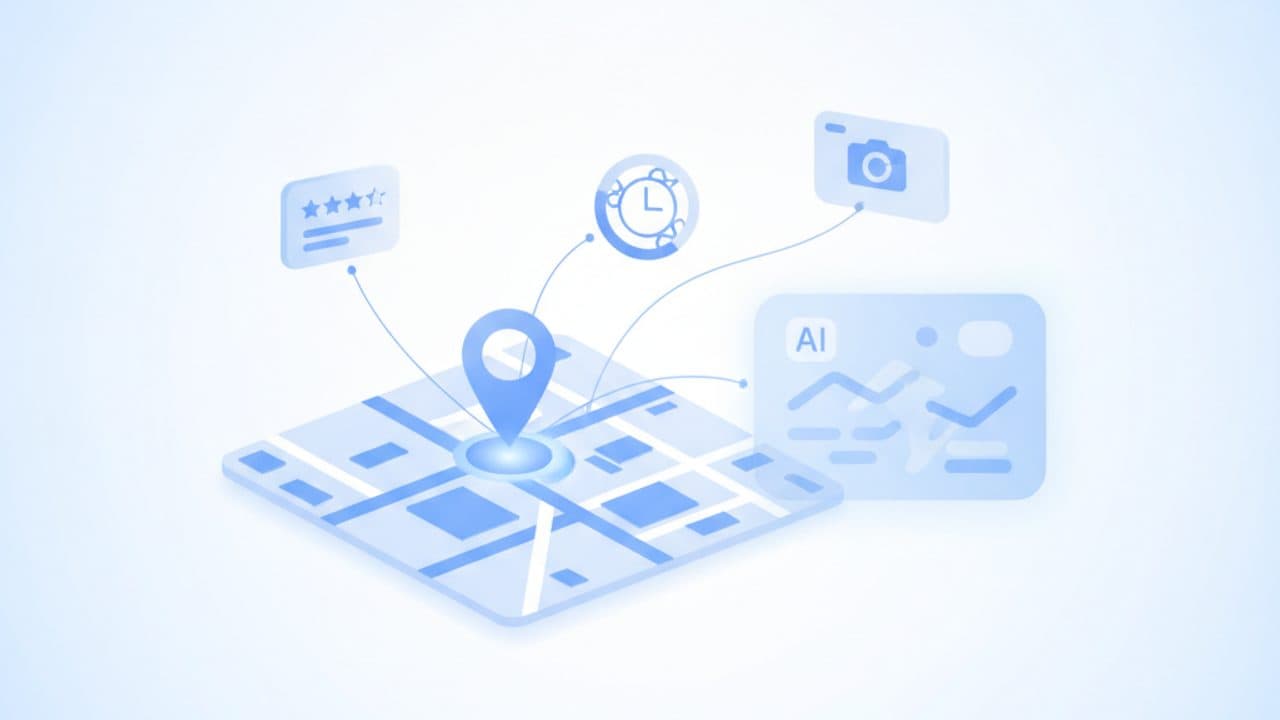
A Google Business Profile is the free listing that controls how your business appears in Google Search and Google Maps, and it now also feeds the answers Google writes itself: AI Overviews, AI Mode (live in Australia since October 2025) and the Gemini-powered Ask Maps that began rolling out here in August 2026. Setting one up costs nothing, but verification, service-area rules and Australian consumer law on reviews catch out plenty of businesses, and the details you enter become the raw material for answers you don't get to edit.
This guide covers setup and verification as they work today, the rules for tradies and other mobile businesses, a field-by-field table showing which profile details Google's AI features use (with how strong the evidence is for each), how to get reviews without breaching Google policy or the Australian Consumer Law, which features Google has retired, how to fix a suspension and how to measure results. Every Google step and feature status below was checked against Google's own help pages on 2 November 2026.
Key takeaways
- It's free, and there's no paid shortcut. Google says creating a profile is free and that "there's no way to request or pay for a better local ranking".
- You don't choose how to verify. Google picks the method (phone, email, live video call, video recording or postcard), and reviews take up to five working days. Postcards aren't offered to every business.
- Mobile businesses hide their address. Set up to 20 service areas by suburb, city or postcode, keep them within about two hours' drive, and don't use a virtual office.
- Reviews answer to two rulebooks. Google bans incentives and asking only happy customers; the ACCC treats fake or arranged reviews as misleading conduct, with company penalties of up to A$50 million or more.
- AI answers read your profile. Google's own AI features guidance tells site owners to keep Business Profile information up to date, and Ask Maps builds answers from business details and reviews. You can't edit those answers, only the sources.
- Q&A and chat are gone. Chat and call history ended in July 2024; Google discontinued the Q&A API in November 2025 and is replacing public Q&A with AI answers. Put your FAQs on your website instead.
What is a Google Business Profile, and is it free in Australia?
A Google Business Profile (GBP, formerly Google My Business) is the business panel that shows your name, location or service area, hours, phone number, photos and reviews when someone finds you on Google Search or Maps. Google's Australia and New Zealand page answers the cost question directly: "Yes, creating a Business Profile and listing your business on Google is free." There is no premium tier that ranks you higher. Google's local ranking help page says results are based mainly on relevance, distance and prominence, and that "there's no way to request or pay for a better local ranking on Google". Ads can appear above the free listings, but they don't change where the free listing ranks.
Two kinds of business are eligible, according to Google's guidelines for representing your business: businesses with a location customers can visit, and businesses that travel to customers. Online-only businesses, rented mailboxes, PO boxes and virtual offices where you don't actually operate are not eligible. Each business gets one profile per location.
The profile matters more now than it did two years ago because Google's AI features lean on it. Google's documentation on AI features and your website lists "checking that your Merchant Center and Business Profile information is up-to-date" as one of the few practical steps for AI Overviews and AI Mode. AI Mode launched in Australia in English on 8 October 2025, and Ask Maps, the conversational Gemini layer in Google Maps, started rolling out in Australia on 7 August 2026.
How to set up a Google Business Profile in Australia
Search for your business on Google Maps first, then either claim the existing listing or create a new one at business.google.com/add, enter your details exactly as they appear on your business registration, and complete verification. Gather the details below before you start, because changing your name, address or category mid-verification can reset the process.
What you need before you start
- Your real-world business name, matching your ASIC business name registration or your legal name. No suburbs, slogans or keywords added.
- A phone number you control directly. Google requires the number to be "under the direct control of the business". Phone verification also fails if the call lands in an automated menu (IVR).
- Your address or service areas, and a decision about whether customers visit you.
- One primary category that describes your core business, plus only the extra categories you genuinely need.
- Regular hours and public holiday hours. Australia's holidays vary by state (the King's Birthday falls in June in most states, September in Western Australia and October in Queensland), so set special hours per location.
- Photos of your shopfront, signage, team, vehicles or work.
Do you need an ABN or registered business name?
Google's sign-up flow doesn't ask for an ABN, but you should treat your registration details as the reference point for the profile. If you trade under a name other than your own, you generally need to register it as a business name with ASIC, which requires an ABN first and costs A$47 for one year or A$108 for three years, according to business.gov.au (fees checked 2 November 2026). The practical reason to keep them aligned: if your profile is ever suspended, Google's appeal process asks for business registration documents whose name and address match the profile. A profile called "Smith Plumbing Sydney 24/7" that doesn't match your registered name "Smith Plumbing Pty Ltd" is both a guideline breach and a weaker appeal.
Step-by-step setup
- Check for an existing listing. Search your business name and suburb in Google Maps. If a listing exists and is unverified, select "Claim this business", then "Manage now". If someone else has already verified it, request ownership instead of creating a duplicate (Google's add or claim guide).
- Create a new profile at business.google.com/add, signed in with a Google Account the business owns (not a staff member's personal account).
- Enter your business name exactly as customers and your registration know it.
- Choose your primary category. Pick the most specific option that describes what you mainly do, such as "Electrician" rather than "Contractor".
- Add your location. Enter a street address if customers visit you. If you travel to customers, add service areas and hide the address (see the service-area section below).
- Add your phone number and website. Use the website page that best represents this location.
- Verify. Google shows the method available to you; complete it without editing your name, address or category until it's approved.
- Fill in everything else after verification: description, services, products, attributes, hours, holiday hours, photos and booking links.
How does Google Business Profile verification work?
Google chooses your verification method for you, and you can't swap it. The Australian verification help page states that "verification methods are automatically determined by Google and can't be changed", based on business type, public information, region and opening hours, and that you may need more than one method. The table below summarises each method and the catches that matter here.
| Method | How it works | Watch-outs |
|---|---|---|
| Phone or text | Google calls or texts a code to the business number | You must answer the business line yourself; "IVR systems won't get the code", which trips up businesses using answering services |
| Google sends steps to an address shown on screen | You must be able to access that exact address | |
| Live video call | A Google support rep guides you through a call | Must be during your opening hours; show outside signage or a street sign, branded equipment or tools, and proof you manage the business (keys, staff-only areas, non-sensitive documents) |
| Video recording | You record and upload a video showing the same evidence | Record one continuous take; plan the route from street sign to signage to proof of management before you press record |
| Postcard | Google mails a five-digit code to your address | Not available for all businesses; usually arrives within 14 days and expires after 30; don't edit name, address or category or request a new code while waiting |
| Instant | Profile verified automatically | Possible if your website is already verified in Search Console, or through bulk verification for chains |
How long does verification take?
Google says verification reviews take up to five working days, and occasionally longer. A postcard adds its own delivery time on top: codes usually arrive within 14 days. If you're opening a new shop, start the profile a few weeks before launch so verification doesn't hold up your first customers. Edits to a verified profile, such as new service areas, can take up to 48 hours to appear.
Video verification tips for Australian businesses
- Start the video on the nearest street sign, pan to your signage or signwritten vehicle, then show the inside of the premises or your tools.
- Have non-sensitive documents within reach, such as an ASIC business name extract or a utility bill in the business name. Cover anything personal.
- For a home-based business with no signage, focus on branded equipment, vehicles, uniforms and tools of the trade, which Google lists as acceptable evidence.
- If a video is rejected, fix the gap Google names rather than re-filming the same footage.
Service-area rules for tradies and mobile businesses
If customers don't come to your address, hide it and list the areas you serve instead. Google's guidelines say "you should hide your business address from customers" when you don't serve them there, and its service area help page sets the current limits:
- Up to 20 service areas, defined by city, postcode or another area type. Suburbs and postcodes work well for Australian metro businesses.
- About two hours' driving time from where the business is based, as the outer boundary for the overall area. Google describes this as guidance, and allows larger areas for some businesses.
- No radius. You can't draw a circle around your base, and old radius-based areas can't be edited.
- One profile for the whole area. A plumber in Penrith can't create extra profiles for Parramatta and Blacktown without staffed premises in each.
- Hybrid businesses enter both: a mechanic who runs a workshop and does mobile call-outs keeps the address visible and adds service areas.
- Age-restricted products need a shopfront. A business selling alcohol, for example, can't operate as a service-area-only profile.
Your hidden address is still used for verification, so it must be real. Co-working desks, virtual offices and mail-forwarding addresses are a common cause of suspensions. We cover the rest of a tradie's local marketing elsewhere; for the cost side, see our breakdown of what SEO costs in Australia.
Which Google Business Profile fields matter most for AI answers?
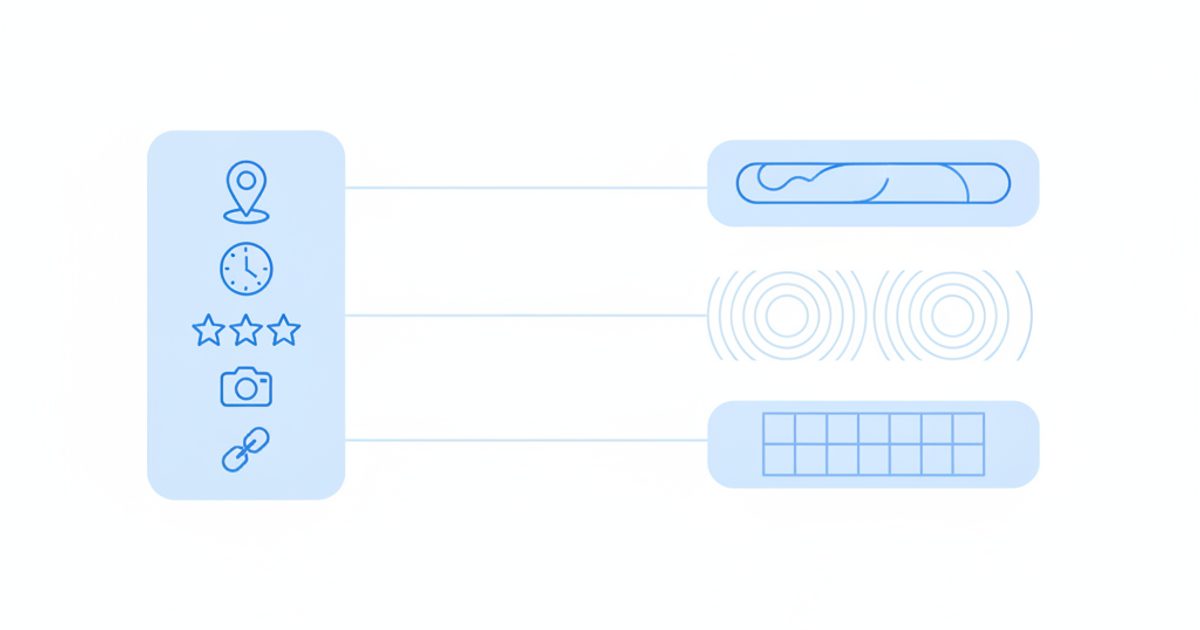
Google hasn't published how its AI features weight profile fields, so any list that ranks them precisely is guesswork. What we can do is separate what Google has said from what independent testers have observed. The table below does that for each field. "Google states" means Google's own documentation or a direct Google quote; "Observed" means published third-party tests, mostly in the US; "No public evidence" means we found nothing either way.
| Field | What it does in Search and Maps | Relevance to AI answers | Evidence |
|---|---|---|---|
| Business name | Identifies the business; must be the real-world name | The key that ties your profile to mentions of you on other sites, reviews and your website. Keyword-stuffed names risk suspension, which removes you from every surface | Google states (name rules); entity matching is our inference |
| Primary category | Drives relevance for category searches | Shapes which prompts you're considered for, and testers report it decides whether Ask Maps appears on your profile at all | Google states (relevance); Observed (Ask Maps eligibility) |
| Address or service areas | Drives distance, a core local ranking factor | AI Mode local answers show a map and nearby options; a wrong suburb puts you in the wrong answers | Google states (distance); Observed (map in AI Mode) |
| Hours and special hours | Shows open or closed status | AI Mode shows hours in local answers, and "open now" style prompts depend on them | Observed |
| Reviews (rating, count, text) | Part of prominence; Google says more reviews and positive ratings can help | Ask Maps "combines review content and business details into a single answer"; AI Mode shows ratings and review counts. Review text is where specifics like "fixed same day" come from | Google states (ranking, Ask Maps); Observed (AI Mode) |
| Website link | Sends clicks to your site | Testers found Ask Maps citing the business's own web pages; AI Overviews and AI Mode cite indexed pages, not the profile itself | Google states (indexed pages); Observed (Ask Maps) |
| Services and products | Lists what you offer, with optional prices | Lets AI answers match specific requests ("gas fitting", "gluten-free") to your business | Observed |
| Attributes | Facts like wheelchair access, women-led, online appointments | Used to answer filter-style questions in Ask Maps | Observed |
| Photos and videos | Shows premises and work | Ask Maps has been seen including relevant profile photos in answers | Observed |
| Description | Free-text summary of the business | Plausible context source; no published test isolates it | No public evidence |
| Booking links | Lets customers book from the profile | AI Mode has shown booking actions such as Reserve with Google | Observed |
| Posts | Updates, offers and events | No published evidence that posts feed AI answers; they still help people who reach your profile | No public evidence |
Sources for the table: Google's local ranking page and naming guidelines; Search Engine Journal's report of the Ask Maps launch, which quotes the review-and-details description; Whitespark's May 2026 AI Mode guide for what AI Mode displays; and Mike Blumenthal's hands-on Ask Maps tests for websites, photos and categories.
How Google Business Profile data shows up in AI Overviews, AI Mode and Ask Maps
Each of Google's AI surfaces uses your profile differently. AI Overviews and AI Mode retrieve from Google's normal index and its local data, then link out; Ask Maps answers questions about a specific place using its profile, reviews and website. None of them lets you edit the answer directly.
AI Overviews
For local questions, AI Overviews usually sit above or alongside the familiar map pack. The summary text is grounded in indexed web pages, which must be indexed and snippet-eligible to be cited, according to Google's AI features documentation; the business listings it shows come from Business Profile data. Whitespark's Q1 2025 sampling, which was US-only, found AI Overviews on about 68% of the local searches it checked. For how often they appear for Australian queries and what that does to clicks, see our guide to Google AI Overviews in Australia.
AI Mode
AI Mode is the conversational tab in Google Search. For prompts like "family-friendly cafe in Fitzroy with outdoor seating", testers have observed it returning a written answer with a short list of businesses, ratings, review counts, hours and a map, and a profile-style panel when you click a business. It also uses query fan-out, running several related searches behind the scenes, so a business that is well described across its profile, reviews and website covers more of those sub-searches.
Ask Maps
Ask Maps is Gemini inside Google Maps. It launched in the US and India on 12 March 2026 and began rolling out in Australia on 7 August 2026. Users can ask open questions ("quiet pub near Central with a beer garden") or question a specific place through preset prompts on its profile. Three limits matter for owners. First, according to BrightLocal's Q&A guide, as of March 2026 it didn't appear for some categories, including healthcare, counselling and some regulated or spam-prone categories. Second, there's no way to correct an answer directly; you fix the profile, website or third-party page it drew from. Third, rollout is gradual, so not every Australian user or profile sees it yet.
What about ChatGPT, Perplexity and Claude?
Assistants outside Google have no documented access to your Business Profile. They build local answers from your website, directories, review sites and articles that mention you. That makes consistency across those sources the main lever: the same name, address, phone, categories and service description everywhere. Our guide to "near me" answers in AI search covers this side, and our local business case study shows what changed when one business fixed it.
How to check what AI says about your business
We did not run a measured Australian AI Mode sample for this guide, so the patterns above come from Google's documentation and published third-party tests, labelled as such. Here is the manual check we recommend, which takes about 30 minutes a month:
- Write 10 prompts the way customers ask, with the suburb or city in each: "emergency electrician Brunswick open now", "best physio for running injuries in Subiaco".
- Run them in AI Mode in a signed-out browser window. Note that Google uses your device's location, so results from Sydney differ from Perth.
- Record four things for each prompt: whether you appear, which competitors appear, which details are shown about you, and which pages are cited.
- Open your own profile in the Maps app and try the preset Ask Maps questions. Note any wrong or missing facts.
- Trace each error to its source (profile field, website page, directory listing or review) and fix it there.
- Repeat monthly, because AI answers vary between runs and change as sources change.
Where AI Rank Lab automates this: the AI Mode tracker and AI Overview tracker take a country and language per query, so you can run steps 2 and 3 with the location set to Australia and keep every run for comparison. Our ChatGPT, Claude, Gemini and Perplexity checks don't emulate a location, so include the suburb in those prompts.
How to get Google reviews legally in Australia
Ask every customer, in the same way, with no reward attached, and never write, buy or filter reviews. Two separate rulebooks apply. Google's fake engagement policy removes reviews linked to incentives, selective solicitation or conflicts of interest. The Australian Consumer Law, enforced by the ACCC, treats fake or misleading reviews as misleading conduct. Since November 2022 the maximum penalty for a company is the greater of A$50 million, three times the benefit obtained, or 30% of adjusted turnover during the breach period.
The rules differ in one place that confuses people: the ACCC's guidance allows incentives in some circumstances if they're offered regardless of whether the review is positive or negative and are clearly disclosed. Google doesn't. On Google, any incentive breaks the policy, so the stricter rule wins.
| Practice | Google policy | ACCC / Australian Consumer Law | Verdict |
|---|---|---|---|
| Sending every customer your review link or QR code after a job | Allowed and encouraged | Allowed | Do it |
| Only asking customers you think are happy ("review gating") | Prohibited: no selective solicitation of positive reviews | Selectively presenting reviews can create a misleading impression | Don't |
| Discount, gift or prize draw entry for a review | Prohibited, including free or discounted goods | Only acceptable if offered regardless of sentiment and clearly disclosed | Don't on Google |
| Staff, family or friends reviewing the business | Removed as a conflict of interest, including current or former employees | Reviews that don't reflect a genuine customer's experience can breach the ACL | Don't |
| Buying reviews or using a review-writing service | Prohibited | Fake reviews breach the ACL | Never |
| Offering a refund if the customer removes a negative review | Prohibited: incentive for removal | Selectively removing negative reviews may mislead consumers | Don't; resolve the complaint unconditionally |
| Asking customers to mention a service or a staff member's name | Prohibited: you can't request specific content | Not addressed directly | Don't |
| Showing only five-star reviews on your website | Not applicable | Disclose that reviews are selected, or show all | Disclose or show all |
| Replying to reviews and reporting ones that break policy | Allowed and recommended | Allowed | Do it |
The ACCC does act on this. In its December 2023 internet sweep of online reviews, the most common issue it identified was incentivised reviews without clear disclosure, and PhotobookShop paid A$39,600 in infringement notices over influencer reviews that included an undisclosed gift. Health practitioners have an extra layer: Ahpra's advertising rules restrict the use of testimonials when advertising regulated health services, so check its current guidance before reusing patient reviews in ads.
A review workflow that stays inside both rulebooks
- In your profile, open "Ask for reviews" (Google's review tips page covers the link and QR code) and copy your link.
- Send it to every customer at the same point, such as with the invoice or job-complete text. Customers need a Google Account to leave a review.
- Don't add conditions, suggested wording or star ratings to the request.
- Reply to reviews in a short, polite way. For negative ones, check your records, acknowledge what went wrong and offer a direct contact, without sharing the customer's details.
- Flag reviews that break Google's content policy (spam, conflicts of interest, off-topic). Don't flag a review just because it's negative.
Is Google Business Profile Q&A still available? What's live and what's retired
No. Public Q&A is being removed, chat ended in 2024, and AI answers are taking their place. Several of the guides ranking for this topic still recommend Q&A and messaging, so here is the status as of 2 November 2026:
| Feature | Status (checked 2 Nov 2026) | What to do |
|---|---|---|
| Chat / messaging and call history | Removed by Google in July 2024 | Make sure your phone number and website contact options are current |
| Q&A API | Discontinued on 3 November 2025, per Google's API sunset page | Tools that "manage Q&A" no longer can |
| Public Q&A on Maps | Google said in December 2025 it is "essentially removing the Q&A feature within Google Maps" in favour of an AI "Ask" button (PPC Land report) | Publish your FAQs on your website and cover key facts in services, attributes and the description |
| Ask Maps (Gemini) | Rolling out in Australia since August 2026; not in every category | Test your profile monthly and fix source data |
| Posts (updates, offers, events) | Live; posts older than six months are archived unless a date range is set (posts help) | Use for genuine news, offers and events |
| Products and services | Live; product views are tracked in performance data | List your main services with plain descriptions |
| Bookings | Live through supported booking providers | Connect if you take appointments |
| AI Mode | Live in Australia in English since 8 October 2025 | Check how you appear for your core prompts |
Why do Google Business Profiles get suspended, and how do you appeal?
Most suspensions trace back to a guideline breach, and the fix is to correct the breach first, then appeal once with documents that match your profile exactly. Google's appeals page warns that appeals "can only be submitted once" and tells owners not to create a new profile for the same business.
Common causes, mapped to Google's guidelines
- Extra words in the business name, such as suburbs, "24/7" or "Best", when they aren't part of the registered name.
- An ineligible address: virtual office, co-working desk, PO box or mail-forwarding service.
- Duplicate profiles for the same business, or one practitioner with several profiles for different specialties.
- Service-area misuse, such as a shopfront address you don't staff or areas far beyond two hours' drive.
- A phone number not under your direct control, such as a lead-generation tracking number owned by a third party.
- Categories for businesses you don't run, including co-located businesses you don't own.
- Review manipulation under the fake engagement policy.
How to appeal
- Read the reason and policy shown in the Appeals tool, signed in to the account that manages the profile.
- Fix the problem in the profile first (rename, remove the ineligible address, merge duplicates).
- If the whole account is restricted, lift the account restriction before appealing the profile.
- Attach evidence whose name and address match the profile exactly. For Australian businesses that typically means an ASIC business name extract, your ABN Lookup record, a utility or phone bill in the business name, or a state trade licence.
- Submit once and wait for the email decision. If it's denied, you can request additional review and add evidence you didn't include the first time.
How to measure Google Business Profile performance
Use the Performance view in your profile for activity on Google, and analytics on your website for what those visits do next. Google's performance help page defines the metrics:
- Views: people who viewed your profile on Search and Maps, counted once per person per day.
- Searches: the terms people used to find you. Updated at the start of each month and can take up to five days to appear.
- Interactions: calls, direction requests, website clicks, bookings, and where relevant menu, product and offer views.
Three points to read the numbers correctly. The data combines organic results and Google Ads, so a paid campaign inflates it. Performance data doesn't show AI Mode or Ask Maps as separate sources, so it can't tell you whether AI answers send you customers. And website clicks only become measurable on your site if you tag the profile's website link with UTM parameters (for example, utm_source=google, utm_medium=organic, utm_campaign=gbp), so GA4 separates profile visits from other Google traffic. For your website's own appearances in AI features, Google now reports them in Search Console; see our guide to the Search Console generative AI report.
Tools for tracking local and AI visibility
Disclosure: AI Rank Lab is our product. We list it first because this is our site, and we've kept the same criteria for every tool below.
- AI Rank Lab: checks whether Google shows an AI Overview or AI Mode answer for your prompts in Australia and which URLs it cites, plus the same prompts on ChatGPT, Claude, Gemini and Perplexity, with local SEO checks (NAP consistency and a citation checklist) for your site. Strength: AI answers and fixes in one place. Limitation: it doesn't run map-pack grid rankings.
- Google Business Profile Performance: free and authoritative for profile activity. Limitation: no AI-surface breakdown and limited history.
- Local rank grid trackers (such as BrightLocal or Whitespark): show where you rank in the map pack from many points across a suburb, which is the best way to see distance effects. Limitation: built for classic local rankings rather than AI answers.
A 30-minute audit checklist for your profile
Run this once now and again each quarter. Each row is something you can check without any paid tool.
| Check | Pass condition |
|---|---|
| Name | Matches your registered business name, with nothing added |
| Primary category | The most specific category for your core service |
| Address or service areas | Real staffed address shown, or hidden with up to 20 accurate areas within about two hours' drive |
| Hours | Regular hours correct; special hours set for upcoming state public holidays |
| Phone | A number you answer directly, not an IVR menu |
| Website link | Points to the right location page and carries UTM tags |
| Services and attributes | Every main service listed in plain words; relevant attributes ticked |
| Photos | Recent photos of premises, team, vehicles or work |
| Reviews | Review link sent to every customer; recent reviews answered |
| Consistency | Name, address and phone identical on your website and main directories |
| AI answers | Your 10 test prompts checked in AI Mode and Ask Maps this month; errors traced to a source |
| Owners | At least two business-owned accounts have owner access |
Putting it together
A Google Business Profile is still the cheapest local marketing asset an Australian business has, and in 2026 it's also one of the inputs Google's AI features use to describe you. Get the basics exactly right (name, category, location, hours), ask every customer for a review without incentives, move your FAQs to your website now that Q&A is going, and check what AI Mode and Ask Maps say about you each month. If you want those AI checks run for you, AI Rank Lab's AI Mode tracker can run your local prompts with the location set to Australia; plans are priced in USD and start at $69 a month.
Get a free AI ranking consultation
Want your brand to show up when ChatGPT, Gemini and Perplexity answer questions in your market? Tell us about your site and our team will send a personalized strategy.


