

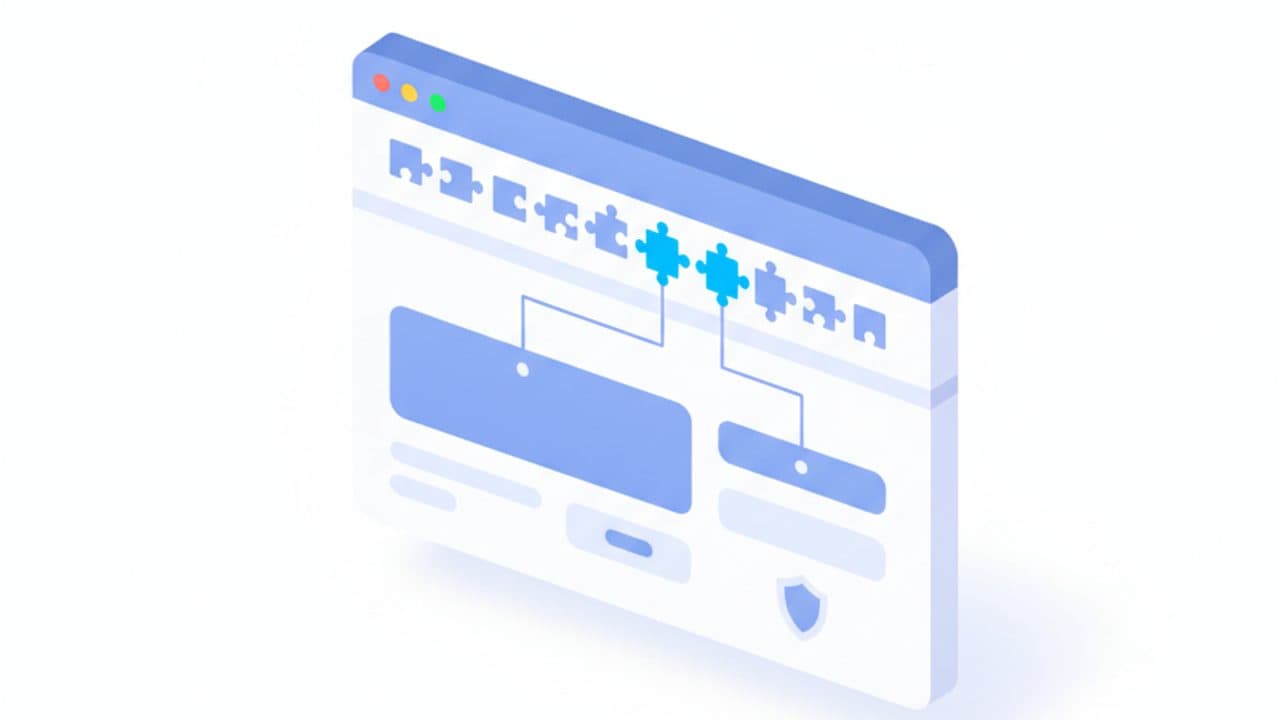
The best SEO Chrome extensions for 2027 are the ones that do a single job on the page in front of you and ask for as little access to your browser as that job needs. For most people that means Detailed SEO Extension for on-page checks, Redirect Path for status codes and Robots Exclusion Checker for indexability - three free add-ons that need no account.
This list covers ten extensions across eight jobs. For each one we read the Chrome Web Store listing and unpacked the extension's manifest file to see which permissions it requests. All store figures, prices and permissions were checked on November 11, 2026.
Key takeaways
- Starter kit: Detailed SEO Extension, Redirect Path and Robots Exclusion Checker. All free, no sign-up.
- Permissions vary a lot. Of the ten, three run only when you click them (Lighthouse, Detailed SEO Extension, AI Rank Lab). The other seven ask for access to every site you visit, either as a host permission or through a script that loads on every page.
- Several famous names fail a freshness check. SEO META in 1 CLICK was last updated in August 2024, Link Redirect Trace in June 2024, and Google retired its Web Vitals extension on January 7, 2025.
- Ratings are a warning sign for two old favorites. MozBar shows 1.4 out of 5 from about 2,500 ratings and SEO Minion 1.6 out of 5 from 797.
- An extension sees one page, once, from your browser. It cannot give you field Core Web Vitals, rankings at scale, or whether ChatGPT cites you.
Disclosure: AI Rank Lab is our product. We list it first because this is our site, and we've kept the same criteria for every tool below. One thing those criteria show plainly: our extension is new and had 11 users on the day we checked. Weigh it accordingly.
How we chose these extensions
We set five rules before picking anything, then applied them to about 40 extensions found through Chrome Web Store searches and through the eleven ranking roundups we read.
- Live on the Chrome Web Store on November 11, 2026. A removed extension cannot be recommended, however often older lists repeat it.
- Updated in the last 12 months. Chrome changes, sites change, and an extension nobody has touched since 2024 is a maintenance risk.
- Not rated below 3.0 out of 5 where the listing has 100 or more ratings. Below that sample we ignore the rating as noise.
- One clear job. Where two extensions do the same thing, we kept the one with the narrower permissions or the more recent update.
- A manifest we could read. We downloaded each extension's public package and read the
permissions,host_permissionsandcontent_scriptsentries in its manifest file.
We set no minimum user count. That rule would have removed our own extension and two specialist tools with small but real audiences, and install numbers say more about age than quality.
What this is not: a hands-on benchmark. We built the AI Rank Lab extension, so we know it first-hand. The other nine entries are based on each extension's store listing, manifest and publisher documentation, read on the day. We did not run timed tests, and there are no scores here.
Two notes on the data. The store displays user counts rounded (600,000, not 612,345), so treat them as bands. And a manifest shows what an extension can access, not what it does with that access. The store's privacy section shows what the developer declares. You need both.
SEO Chrome extensions compared: users, updates, permissions and price
Every figure in this table comes from the extension's Chrome Web Store listing or its manifest, checked November 11, 2026.
| Extension | Job | Users (store) | Last updated | Site access requested | Free or paid |
|---|---|---|---|---|---|
| AI Rank Lab | AI search readiness plus on-page audit | 11 | Oct 20, 2026 | Click only (activeTab). All-sites access is optional | Free install, account needed, runs use credits |
| Detailed SEO Extension | On-page, meta, headings, schema | 600,000 | Jun 2, 2026 | Click only (activeTab). All-sites access is optional | Free |
| META SEO inspector | Deep meta and structured data | 200,000 | Nov 7, 2026 | Script loads on every http and https page | Free |
| Redirect Path | Redirects and status codes | 300,000 | May 14, 2026 | All sites, plus web request and navigation events | Free |
| Robots Exclusion Checker | Indexability and AI bot rules | 50,000 | Mar 4, 2026 | Script loads on every http and https page | Free |
| View Rendered Source | Raw vs rendered HTML | 30,000 | Nov 4, 2026 | All sites | Free, paid Pro tier |
| Lighthouse | Lab performance and Core Web Vitals | 1,000,000 | Jun 25, 2026 | Click only (activeTab) | Free |
| Check My Links | Broken link checks | 90,000 | Oct 31, 2026 | All sites, plus web request events | Free |
| Ahrefs SEO Toolbar | SERP overlay and all-in-one | 400,000 | Nov 10, 2026 | All sites, plus web request and navigation events | Free core, metrics need a paid Ahrefs plan |
| Keywords Everywhere | Keyword volumes in search results | 1,000,000 | Oct 25, 2026 | All sites | Free features, volume data from $84 a year |
The 10 extensions, by job
1. AI Rank Lab - best for checking AI search readiness alongside on-page SEO
AI Rank Lab - SEO & AI Visibility Auditor audits the page you are on for SEO, answer-engine and generative-engine readiness in a Chrome side panel. It is the pick for this job because, per its product page, it puts AI-specific checks (AI crawler access, answer readiness, citability signals, a passage view) next to the usual on-page and technical ones, so you do not need a second tool for meta tags, headings, canonicals and structured data. The extension page lists the full tool set.
- Store facts: 11 users, no ratings yet, version 0.1.0, updated October 20, 2026.
- Permissions:
activeTab,scripting,sidePanel,storage, and one fixed host: our own API. Access to all sites is listed as optional, so Chrome asks you before granting it. The store listing declares that it handles personally identifiable information, authentication information, web history and website content, which is what an audit tied to a signed-in account involves. - Price: free to install. It needs an AI Rank Lab account and spends that account's credits: 1 credit for an on-page or technical check, 5 for a full page scan, per the extension page on November 11, 2026. New accounts get 100 free credits with no card.
- Limitation: it is a first release with almost no public track record, and nothing runs without signing in.
- Who should skip it: anyone who wants a no-account tool. SAGE is an independent AI-readiness checker with 6,000 users and a listing that says its analysis runs locally. We have not tested it.
2. Detailed SEO Extension - best free on-page checker
Detailed SEO Extension shows a page's title, meta description, robots tag, canonical, heading outline, links, images and schema in one popup. We would install this one first because it pairs wide coverage with narrow access: the manifest requests activeTab and keeps all-sites access optional, so it reads a page only after you click it. The publisher's page describes it as free with no tracking.
- Store facts: 600,000 users, 4.8 out of 5 from 234 ratings, updated June 2, 2026. The listed developer is Ahrefs Pte. Ltd.
- Price: free.
- Limitation: it reports what is on the current URL and leaves the judgment to you. There is no crawl beyond the page you are on.
- Who should skip it: people who already run the Ahrefs SEO Toolbar, which repeats most of these checks.
3. META SEO inspector - best for deep meta and structured data inspection
META SEO inspector goes further into the head of a page than a general checker: Open Graph and Twitter tags, full JSON-LD output, canonicals, heading hierarchy, image alt data, and length warnings on tags. It is the structured data pick because, per its listing, it prints complete JSON-LD schemas and docks as a side panel you can leave open while you move between pages.
- Store facts: 200,000 users, 4.3 out of 5 from 628 ratings, updated November 7, 2026.
- Permissions:
activeTab,storageandsidePanel, but its content script is registered for every http and https page. The listing declares no data collection. - Price: free.
- Limitation: its script loads on every page you open, although the job only needs the page you choose to inspect. Detailed SEO Extension does similar work on click.
- Who should skip it: anyone happy with the schema tab in Detailed SEO Extension.
4. Redirect Path - best for redirects and status codes
Redirect Path by Ayima flags 301, 302, 404 and 500 responses and client-side redirects (meta refresh and JavaScript) as you browse, and shows the other HTTP headers and the server IP on click. It wins this job on maintenance: Link Redirect Trace, the usual alternative, was last updated in June 2024.
- Store facts: 300,000 users, 4.3 out of 5 from 200 ratings, version 4.0.0 updated May 14, 2026.
- Permissions:
webRequest,webNavigation,clipboardWrite,storageand access to all sites. A redirect tracer has to watch each request as it happens, so this breadth comes with the job. The listing says the work happens on your computer and declares no data collection. - Price: free.
- Limitation: it records redirects for pages you load yourself. It will not check a list of 500 URLs.
- Who should skip it: Ahrefs SEO Toolbar users, whose toolbar includes a redirect tracer.
5. Robots Exclusion Checker - best for indexability
Robots Exclusion Checker tells you with a red, amber or green icon if robots.txt, a meta robots tag, an X-Robots-Tag header or a canonical is keeping the current URL out of search. It is the indexability pick because it shows the exact robots.txt rule that matched, and since version 1.3.0 it also reports robots.txt rules for 14 AI bots from six companies: OpenAI, Anthropic, Google, Perplexity, Meta and Apple.
- Store facts: 50,000 users, 4.9 out of 5 from 29 ratings, updated March 4, 2026.
- Permissions:
storageonly, with a content script on every http and https page. No data collection declared. - Price: free.
- Limitation: a clean result means the page can be indexed. It does not tell you if Google has indexed it. Search Console's URL Inspection does.
- Who should skip it: nobody doing technical SEO. This is the cheapest way to catch a stray noindex.
6. View Rendered Source - best for JavaScript rendering checks
View Rendered Source puts the raw HTML your server sent beside the DOM the browser built, with a diff of every line JavaScript added, removed or changed. It is the specialist for this job (the Ahrefs toolbar has a simpler raw-versus-rendered comparison), and it matters for AI search as much as for Google: as the listing puts it, search engines and AI crawlers do not always run JavaScript. An SEO filter narrows the diff to titles, robots tags, canonicals, hreflang, headings, links and JSON-LD.
- Store facts: 30,000 users, 4.4 out of 5 from 41 ratings, updated November 4, 2026.
- Permissions:
contextMenus,storageand access to all sites. The listing declares that it handles personally identifiable information, authentication information, web history and website content. It does not say which feature uses which category, so read the privacy policy before you start a Pro trial. - Price: the core panels are "free forever, no account needed" per the listing. A Pro tier adds saved snapshots, with a 7-day trial. The listing does not print the Pro price.
- Limitation: it shows what your browser rendered. Googlebot's render can still differ.
- Who should skip it: owners of plain server-rendered sites, where raw and rendered HTML match.
7. Lighthouse - best for a lab performance check, with a caveat
Lighthouse is Google's open-source auditor for performance, accessibility and SEO. It is the Core Web Vitals pick because it is the reference lab tool and has the narrowest permissions here: activeTab and storage, nothing else.
The caveat comes from Google. Its Lighthouse documentation says "Unless you have a specific reason, you should use Chrome DevTools", because the DevTools version can test local sites and pages behind a login and the extension cannot. Lighthouse already ships inside Chrome. Install the extension only if a toolbar button gets you to run it more often.
- Store facts: 1,000,000 users, 4.2 out of 5 from 335 ratings, updated June 25, 2026.
- Price: free.
- Limitation: lab data from one simulated load. See the section on field data below.
- Who should skip it: anyone comfortable opening DevTools.
What about the Web Vitals extension that older lists recommend? Google ended support for it on January 7, 2025 and moved its live metrics into the DevTools Performance panel. We could not find Google's listing in the store on November 11, 2026. Extensions with similar names that appear in a store search today are from other publishers.
8. Check My Links - best for broken link checks on one page
Check My Links requests every link on the current page and highlights valid, redirected and broken ones in place. It is the link-check pick for editors because it can exclude sections such as the header and footer, and export a report of the broken links.
- Store facts: 90,000 users, 4.6 out of 5 from 109 ratings, updated October 31, 2026. The listed developer is SelectorsHub Tech Private Limited.
- Permissions:
scripting,storage,windows,webRequestand access to all sites. No data collection declared. - Price: free.
- Limitation: the listing says that a few days after install it may show product tips, which you can hide with a key from the publisher's site. It also checks one page at a time, so it is no substitute for a crawl.
- Who should skip it: anyone who needs site-wide link checks. Use a crawler.
9. Ahrefs SEO Toolbar - best all-in-one, and best SERP overlay if you pay for Ahrefs
Ahrefs SEO Toolbar bundles an on-page report, redirect tracer, outgoing and broken link checker, indexation checks, a raw-versus-rendered comparison and a country switcher for Google results. It is the all-in-one pick because those tools are free without a subscription, per the toolbar page, and it is the most recently updated extension on this list.
- Store facts: 400,000 users, 4.7 out of 5 from 568 ratings, updated November 10, 2026.
- Permissions: access to all sites,
webRequest,webNavigation,identity,storageanddeclarativeNetRequestWithHostAccess. The broadest set here, which follows from doing several jobs at once. No data collection declared. - Price: core tools free. Metrics in search results, the metrics bar and Core Web Vitals testing need a paid Ahrefs account, which the toolbar page lists from $29 a month (Starter), checked November 11, 2026.
- Limitation: without a paid plan the SERP overlay, the reason many people install it, shows little.
- Who should skip it: anyone who wants each extension to have the least access possible. Three single-purpose tools do the free parts with less reach.
10. Keywords Everywhere - best for keyword volumes inside search results
Keywords Everywhere adds keyword widgets (related, long-tail, "people also search for") to Google results and, per its listing, works across 15+ websites. It earns the keyword slot because its paid data is cheap next to a full SEO suite and the free tier still does useful work: its listing describes a free SERP profile that shows which ranking sites block AI crawlers or publish an llms.txt file.
- Store facts: 1,000,000 users, 3.3 out of 5 from about 5,700 ratings, updated October 25, 2026.
- Permissions:
storage,activeTab,contextMenus,scriptingand access to all sites, with scripts registered for search engines, marketplaces, social sites and AI chat apps. The listing declares personally identifiable information and location. - Price: search volume, CPC, competition and trend data are paid. The plans page lists Bronze at $84 a year for 100,000 credits, Silver $168 for 400,000, Gold $480 for 2 million and Platinum $1,440 for 8 million, all billed annually (checked November 11, 2026).
- Limitation: a 3.3 rating is the lowest we let through, and the headline feature is behind the paywall.
- Who should skip it: people who already pay for a keyword tool. Our list of free keyword research tools covers the no-cost options.
Popular extensions we left out, and why
These appear in most roundups. Each failed a rule or duplicated a pick. Figures are from the store listings on November 11, 2026.
| Extension | Users (store) | What we found | Rule |
|---|---|---|---|
| SEO META in 1 CLICK | 1,000,000 | Last updated August 31, 2024. Its permissions are admirably narrow (activeTab and scripting only) | Not updated in 12 months |
| Link Redirect Trace | 100,000 | Last updated June 15, 2024 | Not updated in 12 months |
| SEO Pro Extension | 100,000 | Last updated November 20, 2024 | Not updated in 12 months |
| Schema Builder for Structured Data | 40,000 | Last updated March 5, 2025 | Not updated in 12 months |
| MozBar | 900,000 | 1.4 out of 5 from about 2,500 ratings | Rating below 3.0 |
| SEO Minion | 200,000 | 1.6 out of 5 from 797 ratings | Rating below 3.0 |
| Keyword Surfer | 600,000 | 2.7 out of 5 from about 1,100 ratings | Rating below 3.0 |
| Web Vitals (Google) | - | Support ended January 7, 2025; Google's listing not found | Not live |
| SEOquake | 1,000,000 | 3.6 out of 5 from about 2,600 ratings, updated November 11, 2026. Passes every rule | Overlaps picks 2 and 9 |
SEO META in 1 CLICK is the hard one. If it gets an update, it goes back on the list, because its access model is the right one. SEOquake is a fair swap for the Ahrefs toolbar if you would rather have a free SERP overlay from Semrush.
Are SEO Chrome extensions safe? What the permissions mean
Most are safe to use, but seven of these ten can read every page you open, including your CMS, analytics, email and banking tabs. That is a capability, not proof of misuse. It is still worth cutting down.
Three terms cover most of what you will see:
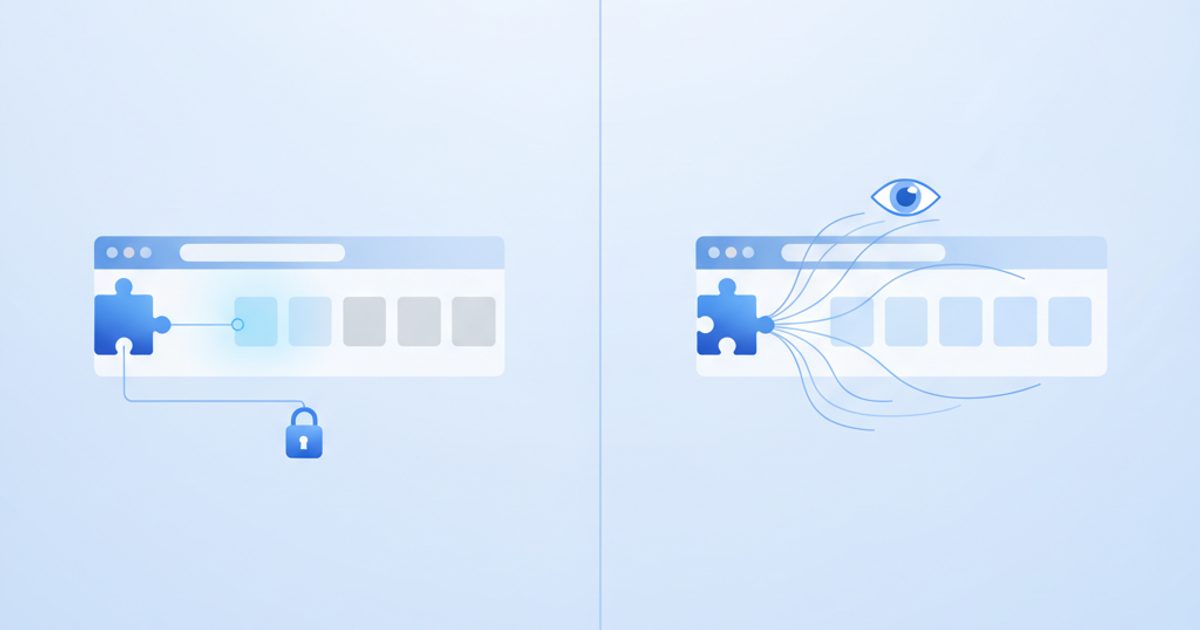
- activeTab. Chrome's documentation says it "gives an extension temporary access to the currently active tab" after an explicit user gesture such as clicking the icon, and that access is revoked when you navigate away or close the tab. It shows no warning at install. This is the model to prefer.
- Host permissions for all sites (written as
*://*/*orhttps://*/*in a manifest). Chrome's extension settings describe this as letting the extension "read and change all your data on websites you visit". Redirect tracers and link checkers have a real need for it. A meta tag viewer does not. - Content scripts on all pages. Code from the extension loads into every page automatically, even with a short permission list. META SEO inspector and Robots Exclusion Checker work this way.
Some permissions carry their own warning. Chrome's permissions list shows "Read your browsing history" for webNavigation and tabs, and "Modify data you copy and paste" for clipboardWrite. Redirect Path triggers both, and the Ahrefs toolbar the first.
Two store rules help you. Under the Chrome Web Store's Limited Use policy, collecting web browsing activity is prohibited "except to the extent required for a user-facing feature", and selling user data to advertising platforms or data brokers is banned. And when an update adds a permission, Chrome disables the extension until you accept the new permission. If an SEO extension suddenly asks for more, read the prompt before you click.
How do you restrict an extension's site access in Chrome?
Change "On all sites" to "When you select the extension". Google's Chrome Web Store help page gives the steps:
- In Chrome, select Extensions (the puzzle icon) at the top right.
- Next to the extension, select More, then point to This can read and change site data.
- Choose When you select the extension, On [current site] or On all sites.
You can do the same from Manage extensions > Details > Permissions, where "On specific sites" lets you add an allowed list - useful for agency staff who only audit client domains.
One trade-off to expect. Redirect Path and Check My Links watch network requests as a page loads, so with click-only access you will usually need to click the icon and then reload the page before they have anything to show. We think that extra reload is a fair price.
A second habit costs nothing: keep SEO extensions in a separate Chrome profile from the one you use for email and banking.
Which three SEO extensions should you install first?
Install Detailed SEO Extension, Redirect Path and Robots Exclusion Checker. Together they answer the three questions that come up on almost every page review, they are free, and none needs an account.
| Question | Extension | What to look at |
|---|---|---|
| Is the page set up correctly? | Detailed SEO Extension | Title, description, canonical, heading outline, schema tab |
| Does the URL resolve cleanly? | Redirect Path | Status code, redirect hops, client-side redirects |
| Can it be crawled and indexed? | Robots Exclusion Checker | Icon color, matched robots.txt rule, AI bot rules |
Add a fourth based on your work. JavaScript-heavy site: View Rendered Source. Content editing: Check My Links. Keyword research in the SERP: Keywords Everywhere. AI search work: the AI Rank Lab extension or another AI-readiness checker. Resist installing all ten. Every extension with all-sites access is one more piece of code running on every page you load.
What an SEO Chrome extension cannot tell you
An extension sees one page, loaded once, in your browser, from your location. Four things sit outside that view.
- Field Core Web Vitals. Lighthouse produces lab data, which web.dev defines as loading a page "in a controlled environment". Field data comes from "monitoring all users who visit a page", and Google's guidance is that "field data is what you should use to prioritize your efforts". Core Web Vitals field scores use the 75th percentile of real visits. Get them from PageSpeed Insights or Search Console.
- Rankings at scale. A SERP overlay shows the results for one query, in one location, on one device. For hundreds of keywords across countries you need a rank tracker or Search Console's performance data.
- Site-wide problems. Orphan pages, duplicate titles across 2,000 URLs and internal link depth only show up in a crawl. Our guide on how to read an SEO audit report covers what a crawl-based audit returns, and the wider SEO tools list and the free SEO tools list cover the web-based options.
- Whether AI engines cite you. An extension can check readiness signals on a page: crawler rules, rendered content, structure. It cannot see what ChatGPT, Gemini or Perplexity answered for a prompt. That takes running prompts and recording the answers, which is what AI Rank Lab's brand visibility tracking does. For page-level checkers, see our comparison of AEO checker tools.
A caution on AI-readiness scores, ours included. Google's guide to optimizing for generative AI features says of llms.txt-style files that "Google Search itself doesn't use them", and that no special schema.org markup is needed for AI features. A checker that marks you down for a missing llms.txt is reporting a convention, not a Google requirement. The readiness checks that matter are the plain ones: can crawlers reach the page, is the content in the HTML, does the page answer the question.
What we would do
Start with the three-extension kit and set anything with all-sites access to run on click. Add one specialist tool when a task calls for it, and remove it when the task ends. Re-check update dates twice a year: two of the most recommended extensions in this category have gone more than two years without one.
If AI search visibility is part of your job, the AI Rank Lab extension is free to install and new accounts get 100 credits to try it. It is early, so tell us what breaks.
Get a free AI ranking consultation
Want your brand to show up when ChatGPT, Gemini and Perplexity answer questions in your market? Tell us about your site and our team will send a personalized strategy.


