



More than 2.8 billion people use ChatGPT every month. When someone in your city, your industry, or your target market asks ChatGPT to recommend a business like yours - a plumber, a SaaS tool, an accountant, a marketing agency - who does it recommend?
If you have never checked, the honest answer is: you do not know. And not knowing means you have a blind spot in your marketing visibility that is growing larger every month as AI search handles more of the queries that previously drove traffic to your website.
This guide shows you exactly how to check whether your business appears in ChatGPT answers - for free - and what to do if it does not.
Why ChatGPT Visibility Matters for Your Business
ChatGPT is not just a chatbot. It is increasingly a primary research tool for purchase decisions. Users ask it questions like:
"What is the best accounting software for small businesses?"
"Which digital marketing agencies specialise in e-commerce?"
"What are the top project management tools for remote teams?"
"Who are the best personal injury lawyers in [city]?"
For each of these queries, ChatGPT generates one response citing two to four sources or brand names. The businesses cited get the lead. The businesses not cited do not exist to that user.
Unlike Google, where ten results appear on page one, ChatGPT produces a single answer. There is no page two. If you are not mentioned, you are completely absent from the conversation - no matter how good your website is or how well you rank on Google.
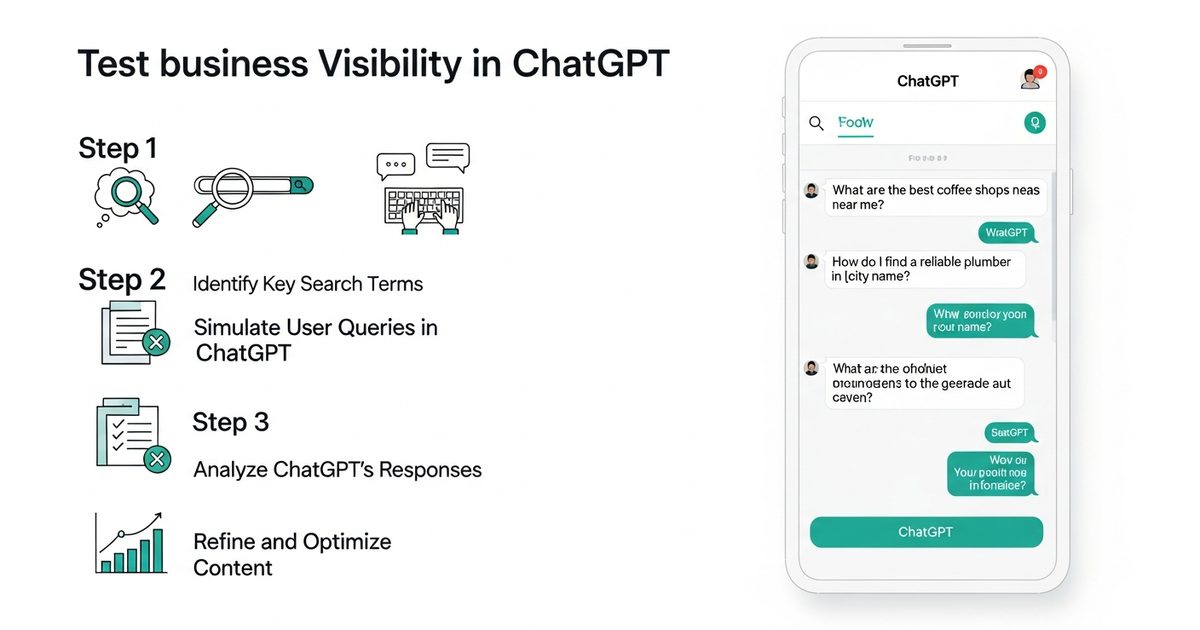
Method 1: Manual Testing in ChatGPT (Free, 15 Minutes)
The fastest way to check your ChatGPT visibility is to test it directly. Open ChatGPT and run the queries your customers are most likely to ask. You do not need a paid account - the free tier is sufficient for this test.
Step 1: Build Your Test Query List
Write down the five to ten questions a potential customer would ask ChatGPT to find a business like yours. Use these templates:
"What is the best [your category] for [your target customer]?"
"Which [your category] should I use for [specific use case]?"
"Can you recommend a [your business type] in [your location]?" (for local businesses)
"Compare the top [your category] tools/services/providers"
"What do experts recommend for [problem you solve]?"
For example, if you run a project management SaaS, your test queries might include: "What is the best project management tool for remote teams?", "Compare Asana vs Monday vs other project management software", and "What project management software do startups use?"
Step 2: Run Each Query and Record the Results
For each query, paste it into ChatGPT and record:
Is your brand mentioned at all?
If mentioned, in what position? (first, second, third recommendation)
Is your brand described accurately?
Which competitors are mentioned instead?
Does ChatGPT cite any sources (URLs) and are any of them yours?
Create a simple spreadsheet with a row per query and columns for: brand mentioned (yes/no), position, competitors cited, sources cited. After ten queries you will have a clear picture of your current ChatGPT visibility baseline.
Step 3: Run the Same Queries with Different Phrasing
ChatGPT does not always give the same answer to the same question, and different phrasings can produce very different citation results. Run each core query in two or three variations - formal and informal phrasing, with and without location qualifiers, with and without specifying the use case. This gives you a more representative picture of how often your brand appears across the range of ways your customers actually ask the question.
Step 4: Note the Context Around Any Mentions
When your brand does appear, the context matters enormously. ChatGPT citing your brand as "a good option for enterprise teams" is very different from "a budget option for freelancers" - especially if your actual target market is mid-market companies. Note not just whether you appear, but how you are described and positioned relative to competitors.
Method 2: Cross-Check With Perplexity and Gemini
ChatGPT, Perplexity, and Google Gemini each have different training data, different citation patterns, and different results for the same query. A brand that appears consistently in ChatGPT may be completely absent from Perplexity, and vice versa.
Run the same query list in:
Perplexity AI (perplexity.ai, free) - Perplexity always shows its sources, making it easier to see which URLs it cites alongside brand mentions. This is particularly valuable for understanding which of your pages (if any) are being retrieved.
Google Gemini - ask the same questions and note which brands appear. Gemini's results tend to correlate more closely with Google rankings than ChatGPT does, giving you a different data point on AI search visibility.
Microsoft Copilot - searches using Bing's index as a retrieval source, making it a useful cross-check especially for brands with stronger Bing presence than Google presence.
After running all three, you will have a multi-engine picture of your current AI visibility. Most brands discover significant variation - strong presence on one engine, complete absence on another - which points directly to where optimisation effort should focus first.
How to Interpret What You Find
After completing your manual tests, you will likely fall into one of three situations:
Situation 1: You appear consistently across most queries
Strong starting position. The priority now is improving how you appear - your positioning, the accuracy of the description, and whether you are cited in first or third position. Moving from third to first mention in AI responses meaningfully increases the chance a user investigates your brand. Use AI Rank Lab's AI Visibility Tracker to re-run these prompts and compare results over time, so you catch any drops before they become sustained.
Situation 2: You appear on some queries but not others
The most common situation. The queries where you appear reveal what ChatGPT knows about your brand and what content it associates with you. The queries where you do not appear reveal gaps - either your content does not cover those topics, or competitors have stronger structured content for those specific queries. Prioritise the high-volume gaps first.
Situation 3: You do not appear in any responses
This is more common than most business owners expect - and it is fixable. Absence from AI responses is almost always caused by one or more of: insufficient content depth on your target topics, missing schema markup that helps AI engines understand your content, low domain authority relative to competitors, or content that has not been updated recently enough for AI engines to treat it as a reliable current source.
Method 3: Tool-Based Tracking With AI Rank Lab (100 Free Credits at Signup)
Manual testing gives you a snapshot. But ChatGPT's responses change as its model updates, as new content gets indexed, and as competitors publish new material. A citation you earned this month can disappear next month without you knowing.
AI Rank Lab's AI Visibility Tracker automates what the manual method does manually - testing your target queries across ChatGPT, Gemini, Claude, Perplexity, Google AI Overviews and Google AI Mode each time you run them and reporting your citation rate, citation position, and changes over time.
The 100 free credits at signup (no credit card) cover about one brand visibility prompt run, enough to check your most important visibility question without manual effort. For businesses that need to track dozens of queries across multiple AI engines - or that need to monitor competitor citations alongside their own - the paid tiers provide the systematic tracking that manual testing cannot scale to.
To set it up: add your domain, enter your target queries (the same list you used for manual testing), and AI Rank Lab runs them on your behalf whenever you start a check and stores every run for comparison.
How ChatGPT Decides Which Businesses to Mention
Understanding why ChatGPT cites certain brands makes it much easier to understand what you need to change if you are not appearing. The key factors are:
Training data presence - ChatGPT's knowledge comes from its training data, which includes web content indexed before its training cutoff. Brands with more extensive web presence - more mentions across publications, reviews, and directories - appear more often in responses.
Content structure - for models with web browsing enabled (ChatGPT with Browse, Perplexity by default), content that is well-structured with clear headings, bullet points, and schema markup is more likely to be retrieved and cited.
Topical authority - brands associated with deep, comprehensive content on a specific topic earn more citations for queries in that topic area. A company with 50 high-quality articles on project management earns more ChatGPT mentions for project management queries than a company with one landing page.
Third-party mentions - being mentioned positively in authoritative industry publications, review sites (G2, Capterra, Trustpilot), and comparison articles increases the probability of appearing in AI responses because these sources are well-represented in training data.
Recency - content updated recently is treated as more reliable. Pages with current statistics, fresh dates, and recent review signals perform better in AI citation across all major engines.
What to Do If Your Business Is Not Appearing
If your manual testing reveals low or zero visibility in ChatGPT and other AI engines, the priority actions are:
Run a full AEO audit - use AI Rank Lab's SEO/AEO/GEO audit to identify the specific gaps in your content structure, schema markup, and technical setup that are preventing AI citation. The audit shows you exactly what to fix first.
Add FAQPage schema to key pages - FAQ schema is one of the most direct ways to signal to AI engines that your content answers specific questions. Add it to any page that addresses common customer questions.
Restructure your best pages to lead with direct answers - review your top landing and blog pages and move the core answer to the very top of each section, before supporting context and detail. AI engines retrieve content that answers questions immediately, not content that builds to an answer gradually.
Build topical depth - if you have one page on a topic where competitors have ten, your AI citation rate for that topic will reflect that gap. Build out supporting content around your core topics to establish the topical authority that AI engines reward.
Earn third-party mentions - get your brand listed and reviewed on the industry directories and comparison sites that AI engines cite heavily: G2, Capterra, Product Hunt, relevant industry publications, and local directories for service businesses.
How Often Should You Check Your ChatGPT Visibility?
Manual testing gives you a useful baseline but should not become your primary monitoring method. AI engine responses change frequently - model updates, new indexed content, and competitor activity all shift citation patterns regularly. A monthly manual check combined with regular tracked runs in AI Rank Lab is the most practical monitoring setup for most businesses.
The businesses most surprised by sudden drops in AI visibility are the ones that checked once and assumed the result was permanent. Build tracking into your routine before you need it - not after you notice the traffic decline that signals something has changed.
Set up AI Rank Lab's visibility tracker with 100 free credits for your domain today and see exactly where you stand across ChatGPT, Gemini, Claude, Perplexity, Google AI Overviews and Google AI Mode in a single dashboard.
Get a free AI ranking consultation
Want your brand to show up when ChatGPT, Gemini and Perplexity answer questions in your market? Tell us about your site and our team will send a personalized strategy.


