


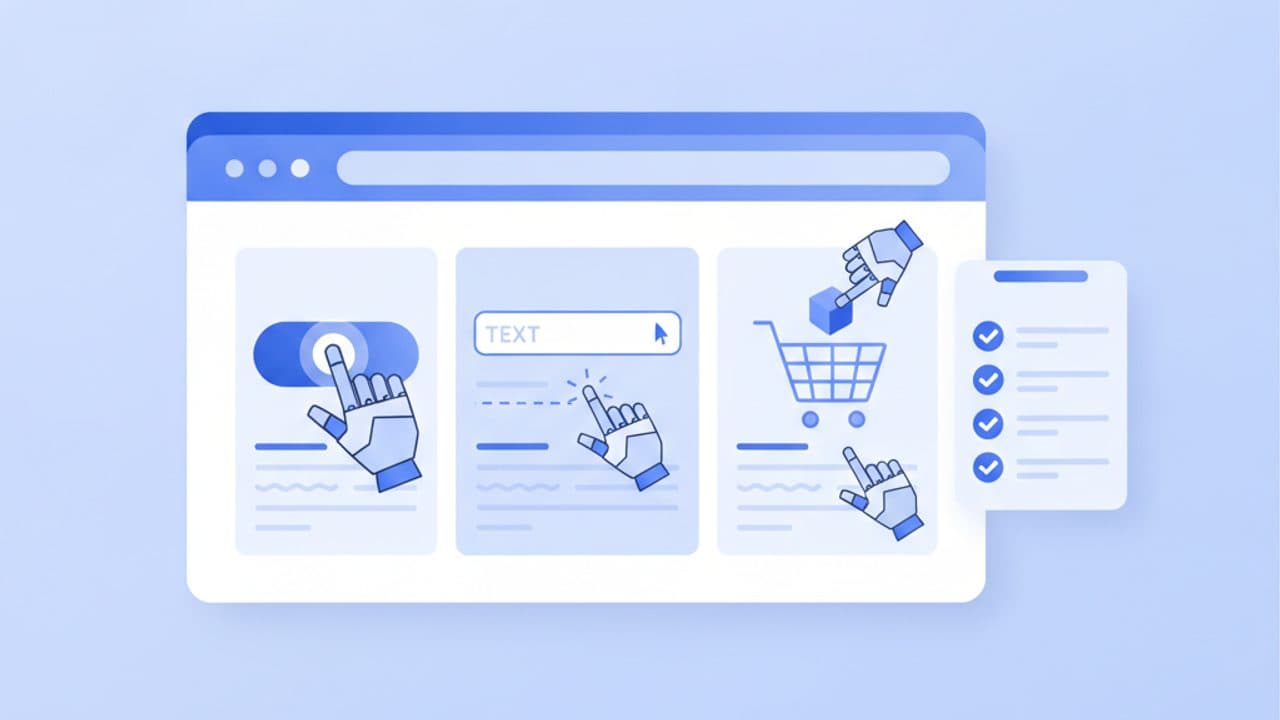
An agent ready website is one that an AI agent can read, operate and be let into: the content is in the HTML the server sends, every button, link and form field shows up in the browser's accessibility tree with a clear role and name, the layout does not jump around, forms and checkout work without puzzles, and your bot protection can tell a verified agent from an attacker. Agents such as ChatGPT's cloud browser, Claude in Chrome and Gemini in Chrome's auto browse now click, type and fill forms on real sites, and they fail on the same things that fail screen-reader users.
This page gives you a checklist you can run this week. Each item says why it matters and how to test it, and the tests use free tools: Chrome DevTools, Lighthouse's new Agentic Browsing category, curl and your server logs. Everything was checked against the vendors' own documentation on October 18, 2026, and we ran the tests ourselves on 15 public pages so you can see what typically fails.
Key takeaways
- Google's Chrome team says agents use the accessibility tree as their primary data model. OpenAI says ChatGPT agent works from screenshots. A site that is agent-ready has to work for both: clean semantic HTML and a stable, visible layout.
- Most of the checklist is existing standards. WCAG 2.2 criteria such as 4.1.2 Name, Role, Value and 3.3.8 Accessible Authentication cover the majority of what breaks agents.
- Every major agent stops and hands control back to the person at sign-in, payment or terms acceptance. Design those steps as a clean handoff instead of trying to remove them.
- Do not block agents by user agent string alone. ChatGPT's cloud browser signs its requests with Web Bot Auth, and Cloudflare, Akamai, HUMAN and Vercel can verify it, so you can allow verified agents and still stop scrapers.
- Agent sessions are mostly invisible to page-tag analytics. Server or CDN logs with the
Signature-Agentheader and Google-Agent's user agent are where you can measure them. - Newer layers such as WebMCP, llms.txt and Markdown responses are optional extras. Cloudflare found Markdown content negotiation on 3.9% of the top 200,000 domains, and WebMCP is still an origin trial.
What are AI agents doing on websites in 2026?
AI agents are now completing tasks inside websites, not just reading them. The vendors' own help pages describe the same set of jobs: comparing products and prices, adding items to a cart, filling in quote and booking forms, checking availability and preparing a reservation for the person to approve.
- ChatGPT. OpenAI's cloud browser help page says ChatGPT Work's cloud browser "can read web pages, click buttons, enter information into forms, and carry out steps on supported public and signed-in websites." Its examples include requesting quotes from businesses, comparing local stock and finding a DMV appointment. The older ChatGPT agent mode is still documented and says the agent pauses for the user to take over the browser at log-ins.
- Claude. Anthropic made Claude in Chrome generally available on every paid plan on August 26, 2026. It reads and types text, clicks links, navigates between pages and fills out forms, using the person's existing log-ins in their own Chrome.
- Gemini. Google's auto browse support page says Gemini in Chrome can "compare products, search for deals, and add items to your cart," book accommodation and make restaurant reservations. It is limited to US users aged 18+ on Google AI Pro or Ultra.
- Google-Agent. Google documents a separate Google-Agent user agent that "is used by agents hosted on Google infrastructure to navigate the web and perform actions upon user request."
One product has already disappeared: OpenAI retired its ChatGPT Atlas browser on August 9, 2026 and moved agentic browsing into ChatGPT and Codex. Guides written in late 2025 that tell you to "optimize for Atlas" are now out of date. The underlying mechanics they describe still apply.
| Agent (October 2026) | Where it runs | How it sees your page | How it identifies itself | Where it stops for the person |
|---|---|---|---|---|
| ChatGPT cloud browser / agent mode | A remote browser on OpenAI's servers | Screenshots of its virtual browser, per OpenAI | Web Bot Auth signature with Signature-Agent: "https://chatgpt.com" | Sign-in, two-factor codes, bookings, payments |
| Claude in Chrome | The person's own Chrome, as an extension | Page content returned to Claude as tool results; Anthropic does not publish a fixed method | No separate user agent documented; it uses the person's normal browser session | Actions a classifier flags as not matching the request |
| Gemini in Chrome auto browse | The person's own Chrome | Not documented on the support page | No separate user agent documented | Submitting forms (confirm), payment, accepting terms, creating accounts (take over) |
| Google-Agent | Google infrastructure | Not documented | compatible; Google-Agent user agent, IPs in user-triggered-agents.json, Web Bot Auth trial as https://agent.bot.goog | Not documented |
The practical point of the table: agents that run in the person's own browser look like normal visitors, so they hit your site exactly as your accessibility and UX work allows. Agents that run on a vendor's servers also have to get past your bot protection. A checklist has to cover both.
How do AI agents perceive a page?
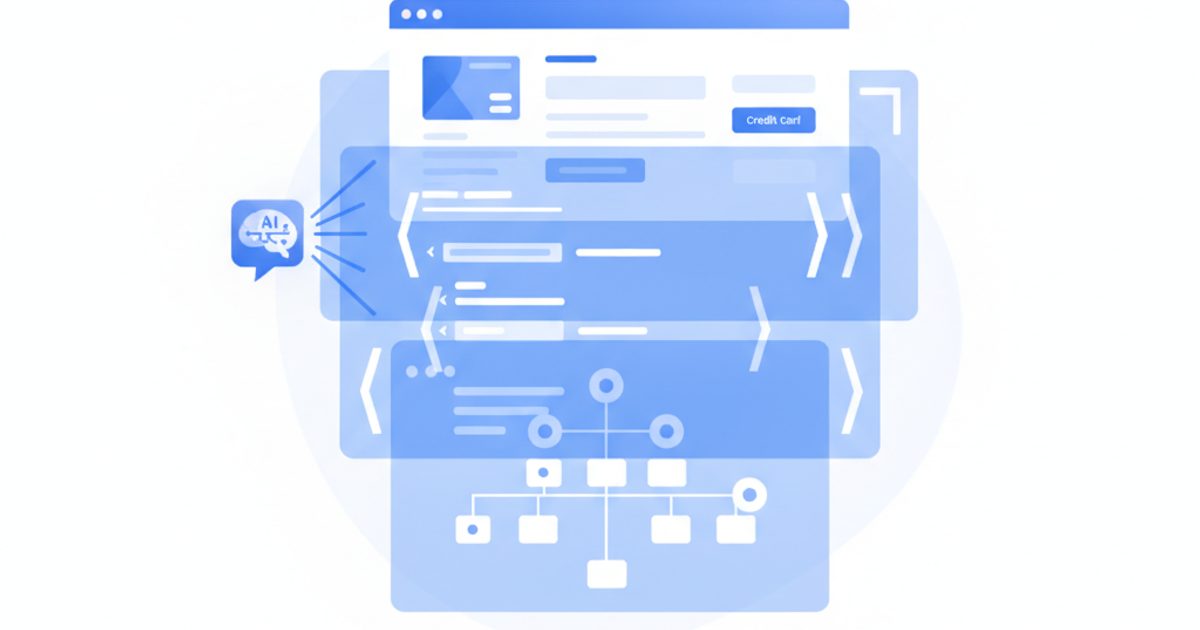
AI agents read a page through three channels: the raw HTML and DOM, the browser's accessibility tree, and screenshots interpreted by a vision model. Google's web.dev guide Build agent-friendly websites names all three and says modern agents combine them. The vendors lean on different channels:
- Accessibility tree. The Chrome team's agent-ready toolkit post (June 22, 2026) says: "Agents rely on the accessibility tree, derived from DOM for assistive technology (AT), as their primary data model." The tree is the browser's summary of every element's role (button, link, textbox), name ("Add to cart") and state (checked, expanded, disabled).
- Screenshots. OpenAI's help page says "ChatGPT agent uses screenshots of its virtual browser window to 'see' and interact with web pages." Anthropic's computer use documentation describes the same model: Claude receives a screenshot and returns clicks at pixel coordinates, and the docs warn that "some UI elements (such as dropdowns and scrollbars) might be tricky for Claude to manipulate using mouse movements."
- DOM. web.dev notes agents use nesting to infer relationships, for example that a "Buy Now" button inside a product container belongs to that product.
What the accessibility tree shows for common markup
To make this concrete, we rendered eight common patterns in headless Chrome 155 and dumped the accessibility tree with Puppeteer's accessibility.snapshot(). This is the exact output, trimmed to the interactive parts:
| Markup | What the accessibility tree exposes | What an agent can infer |
|---|---|---|
| StaticText "Add to cart" | Some text. Nothing says it can be clicked. |
| button "Add to cart" | A control with a clear action. |
Icon-only | button (no name) | A button that does something unknown. |
Same button with aria-label="Search" | button "Search" | A search button. |
| textbox "you@example.com" | The example value becomes the field's name. |
| textbox "Email address" | An email field, unambiguously. |
| StaticText "Size: M" | Text. Not a choice it can change. |
| combobox "Size" value=M with options S and M | A size picker, its current value and every option. |
Two of these eight patterns turn a working control into plain text, and one leaves a button with no name. On screen, all eight look fine. This is why accessibility conformance and agent readiness overlap so heavily, and why the WebAIM Million 2026 numbers matter here: 95.9% of the top one million home pages had detectable WCAG failures, 51% had missing form input labels, 46.3% had empty links and 30.6% had empty buttons.
Is agent readiness the same as AI search optimization?
No. AI search optimization is about being found and cited; agent readiness is about being usable once an agent arrives. The Chrome team draws the same line: agents searching the web follow normal SEO principles, while agents using the web need the work in this checklist. For search, Google's guide to generative AI features says there are no additional requirements to appear in AI Overviews or AI Mode. Nothing here is a ranking trick. It decides whether an agent that already chose your site can finish the job, or gives up and tries a competitor.
The agent-ready website checklist
The checklist below has 26 checks in seven groups. Work top to bottom: access and rendering problems stop an agent before anything else matters, while the machine-readable extras at the end only help once the basics pass. Each row links the check to the standard or vendor document behind it.
| # | Check | Why it matters | How to test it |
|---|---|---|---|
| 1. Access and verification | |||
| 1 | Key pages (home, category, product, pricing, contact, booking) return the real page to verified agents, not a challenge | OpenAI says sites' security measures can block its cloud browser and "each website ultimately decides" whether to allow it | Filter CDN or WAF logs for Cloudflare bot tag chatgpt-agent or the Signature-Agent header and check the response codes |
| 2 | Allow rules are keyed to verified identity (signature, detection ID or published IP list), never to a user agent string alone | Google warns user agent strings "can be spoofed"; Cloudflare caught a crawler impersonating Chrome on macOS | Read each allow rule and confirm what it matches on |
| 3 | Rate limits answer with HTTP 429 and a Retry-After header instead of a silent block or a CAPTCHA wall | RFC 6585 defines 429 so a client knows to slow down rather than fail | Send a burst of requests from a test client and inspect status and headers |
| 4 | You know which controls actually apply to agents: robots.txt for crawlers, WAF rules for user-triggered agents | Google says user-triggered fetchers "generally ignore robots.txt rules" | List each AI bot you care about and the control (robots group, WAF rule) that governs it |
| 2. Rendering and JavaScript | |||
| 5 | Main content, prices, stock and key facts are in the server-rendered HTML | Agents read raw HTML as one of their three inputs; Google recommends server-side rendering, static rendering or hydration | curl -s URL | grep -i "your price", or load the page with JavaScript disabled |
| 6 | Shipping, returns, pricing tiers and specs are not only inside hover menus, click-to-load tabs or images | Content that needs a specific interaction to exist may never be seen | Search the rendered DOM (DevTools Elements, Ctrl+F) for each fact without clicking anything |
| 7 | Agents and people get the same content | Google calls dynamic rendering "a workaround and not a recommended solution" and treats substantially different content as cloaking | Compare the HTML served to a bot user agent with the HTML served to Chrome |
| 3. Accessibility tree | |||
| 8 | Every control is a native element: | WCAG 4.1.2 Name, Role, Value; a clickable | DevTools > Elements > Accessibility pane, or enable the full-page accessibility tree view |
| 9 | Every button and link has an accessible name, including icon-only ones | An unnamed button is a guess; 30.6% of top home pages have empty buttons (WebAIM 2026) | Lighthouse rules button-name and link-name |
| 10 | ARIA is only used where native HTML cannot do the job, and every role is valid for its element | The W3C ARIA Authoring Practices Guide opens with "No ARIA is better than bad ARIA" | Lighthouse rules aria-allowed-role, aria-roles, aria-valid-attr-value |
| 11 | Headings, lists, tables and landmarks express the page's real structure | WCAG 1.3.1 Info and Relationships; agents use nesting to tie buttons to products | DevTools accessibility tree, or a headings-outline extension |
| 12 | Dialogs are real dialogs with a name, and nothing focusable sits inside aria-hidden | Hidden-but-focusable elements confuse both screen readers and agents | Lighthouse rules aria-dialog-name and aria-hidden-focus |
| 4. Forms and checkout | |||
| 13 | Every input has a programmatic label, not just placeholder text | 51% of top home pages have unlabeled inputs; a placeholder becomes a misleading name | Lighthouse rule label; inspect each field's computed name in DevTools |
| 14 | Personal-data fields use valid autocomplete tokens (email, tel, postal-code, cc-number) | WCAG 1.3.5 Identify Input Purpose makes the field's meaning machine-readable | Lighthouse rule autocomplete-valid |
| 15 | Errors are text, linked to the field, and say how to fix the problem | WCAG 3.3.1 and 3.3.3; an agent working from screenshots cannot read a red border | Submit the form empty and read what the accessibility tree announces |
| 16 | Browse, compare, cart and quote steps work without creating an account | Gemini hands account creation back to the person; forced sign-up ends the agent's task | Walk the journey in a private window, signed out |
| 17 | Log-in allows paste and password managers, with no memory or puzzle test | WCAG 3.3.8 Accessible Authentication (Minimum) names password managers and copy-paste as compliant mechanisms | Try pasting into the password field; check the login has an alternative to puzzle CAPTCHAs |
| 18 | A clear review step shows item, quantity, price, fees and delivery before payment | Every major agent stops before payment; the person needs one screen that proves the cart is right | Screenshot the review step and check every number is visible as text |
| 19 | CAPTCHAs and step-up checks appear only at real risk points (account creation, payment, password reset) | A challenge on search or product pages blocks agents doing harmless research | List every page that can show a challenge in your bot-management settings |
| 5. Layout stability | |||
| 20 | Cumulative Layout Shift is 0.1 or less | Lighthouse's agentic category includes CLS because an agent clicking a shifted coordinate hits the wrong thing | Lighthouse or PageSpeed Insights |
| 21 | No transparent overlays over controls; cookie banners close with a named button; targets are visible and larger than 8 square pixels | web.dev says covered nodes may be discarded and tiny targets filtered out | Click through the page with the cookie banner open; inspect stacking with DevTools Layers |
| 6. Machine-readable layer | |||
| 22 | Product, Offer, Organization and LocalBusiness structured data matches what the page shows | Gives agents unambiguous price, availability and identity; mismatches erode trust | Google's Rich Results Test and the Schema Markup Validator |
| 23 | Shipping, returns, pricing and contact policies live on stable, plain-HTML URLs linked from the footer | Agents comparing options look for these facts first | Open each policy URL with curl and confirm the text is in the response |
| 24 | Optional: llms.txt, Markdown responses, WebMCP tools, an ai-catalog.json | Lighthouse now checks llms.txt, WebMCP and ai-catalog.json, but adoption is tiny and Google Search does not use llms.txt | Lighthouse Agentic Browsing category; curl -H "Accept: text/markdown" |
| 7. Measurement | |||
| 25 | CDN or server logs keep the user agent, verified-bot tag and Signature-Agent header | Page-tag analytics cannot see headers and cannot tell an in-browser agent from a person | Query a day of logs for chatgpt.com in Signature-Agent and Google-Agent in the user agent |
| 26 | Your top three journeys are re-tested with real agents each month | Agents and your site both change; a passing audit does not prove a task completes | Ask ChatGPT, Claude in Chrome and Gemini to do the task and record where each one stops |
What we found when we ran these checks on 15 pages
We ran Lighthouse 13.5.0's Agentic Browsing category on 15 pages on October 18, 2026: the home pages of 13 well-known retail, travel, restaurant and SaaS sites, plus our own home and pricing pages. We also probed the 14 home pages with curl. One page could not be audited because the site returned a 403 to headless Chrome, which leaves 14 audited pages. We report results in aggregate and do not name sites that failed, because a single run from one location is a snapshot, not a verdict.
| Check | Result | What it looked like |
|---|---|---|
Accessibility tree well-formed (Lighthouse agent-accessibility-tree) | 9 of 14 passed | Of the 5 failures, 4 were caused by ARIA someone had added, not by missing ARIA: a search role="region", a role="button" as a menu toggle, a carousel slide with a role its element does not allow, and tabs whose role="tab" links were not direct children of the tablist. The fifth had an icon-only button, a card link and an SVG icon with no accessible name. |
| Cumulative Layout Shift 0.1 or less | 13 of 14 passed | One restaurant-booking home page measured 0.26. Our own pricing page measured 0.096, closer to the limit than we would like. |
llms.txt (Lighthouse llms-txt) | 7 passed, 3 failed, 4 not applicable | Failures were a fetch timeout, a failed fetch and a file that "does not appear to contain any links." |
| WebMCP tools registered | 1 of 14 | Target's home page registers an imperative WebMCP tool, search_products, whose description tells agents to use filter_products next. Lighthouse also listed 3 forms on that page without declarative WebMCP annotations. |
ai-catalog.json (Lighthouse ard-schema) | 0 of 14 | No page published one. |
Markdown on Accept: text/markdown (curl) | 0 of 14 | None returned Markdown. Sites answered with HTML, a redirect, an error or a timeout, and one returned 406 Not Acceptable. |
| Plain HTTP client with a Chrome user agent string (curl) | 4 of 14 refused or timed out | Two returned 403 or 429 and two timed out. A fifth site answered normally to the Chrome string but returned 403 when the user agent named itself as a bot. Bot management judges far more than the user agent. |
Three lessons from this small sample. First, the accessibility failures were mostly bad ARIA rather than missing ARIA, which matches the APG's warning and WebAIM's finding that pages with ARIA average more errors. Second, a page can pass every Lighthouse agentic check and still block agents at the network edge, since Lighthouse loads the page as a browser would. Third, WebMCP has moved from demo to at least one major retailer's production home page, so it is worth watching even though it is still an origin trial.
Rendering and JavaScript: does the content exist before anyone clicks?
The first test is whether your important content is in the HTML the server sends. Agents that read the DOM or raw HTML see whatever is there when they look, and a page that builds its prices, stock or specs with client-side JavaScript after several API calls gives them less to work with and more chances to time out.
Google's own guidance has not changed: its dynamic rendering documentation says dynamic rendering "was a workaround and not a long-term solution" and recommends "server-side rendering, static rendering, or hydration" instead. That matters because a new category of products serves bots a separately rendered copy of your page. Profound's Dynamic Bot Rendering (October 11, 2026) is one example. It is a fast fix when you cannot change your front end, and Google says it will not treat dynamic rendering as cloaking as long as the content is similar. The risk is drift: if the bot copy and the human page diverge, you are serving different content to different visitors. Fixing rendering at the source is the durable option.
How to test it in five minutes:
- Run
curl -s https://yoursite.com/product-page | grep -i "price"and check that the real price, product name and stock status are in the response. - Open the page in Chrome, open DevTools, press Ctrl+Shift+P (Cmd+Shift+P on Mac), run Disable JavaScript and reload. Anything that vanishes depends on client-side rendering.
- Check pricing tables, shipping costs and return windows specifically. These are the facts agents compare and the ones most often hidden in tabs or loaded lazily.
- If you use a single-page-app framework, confirm server-side rendering or static generation is on for these templates, not only for the home page.
The AI Rank Lab SEO, AEO and GEO audit automates part of this: it crawls a URL, checks robots.txt, the sitemap and llms.txt, parses the JSON-LD, and flags content sitting behind tabs, accordions and modals. Our Chrome extension runs the same audit on the page as your browser rendered it, so you can compare the JavaScript and no-JavaScript views.
Accessibility tree: how to make every control readable
The fastest way to make a page usable by agents is to make it conform to WCAG 2.2, the current W3C standard (published October 5, 2023 and approved as ISO/IEC 40500:2025). Three success criteria do most of the work:
- 4.1.2 Name, Role, Value: every user interface component exposes what it is, what it is called and what state it is in. This is literally what an agent reads from the tree.
- 1.3.1 Info and Relationships: structure shown visually (headings, lists, tables, groups of fields) is also in the markup.
- 1.3.5 Identify Input Purpose: fields that collect personal data say what they collect with
autocomplete.
Use native HTML before ARIA. The W3C's ARIA Authoring Practices Guide puts it bluntly: "No ARIA is better than bad ARIA." WebAIM's data backs this up: home pages with ARIA present averaged 59.1 detected errors against 42 for pages without, though WebAIM notes the pages using ARIA also tend to be more complex.
Which accessibility rules does Lighthouse check for agents?
Lighthouse's agentic category does not run the full accessibility audit. We read the Lighthouse 13.5.0 source: the agent-accessibility-tree audit filters to 33 axe-core rules that matter for machine interaction. They fall into four groups:
- Names:
button-name,input-button-name,input-image-alt,label,link-name,select-name,document-title,svg-img-altand the ARIA naming rules (aria-command-name,aria-dialog-name,aria-input-field-name,aria-toggle-field-name,aria-tooltip-name,aria-treeitem-name). - Valid ARIA:
aria-allowed-attr,aria-allowed-role,aria-conditional-attr,aria-prohibited-attr,aria-required-attr,aria-roles,aria-valid-attr,aria-valid-attr-value,presentation-role-conflict. - Tree integrity:
aria-required-children,aria-required-parent,definition-list,duplicate-id-aria,table-duplicate-name,aria-text. - Visibility and focus:
aria-hidden-body,aria-hidden-focus,tabindex, plusautocomplete-validfor forms.
Color contrast, image alt text in general and heading order are not in the agent subset. They still matter for people, so keep running the full accessibility audit too.
To test: open Chrome DevTools, select an element and open the Accessibility pane to see its computed name and role. The DevTools accessibility reference also shows how to switch the Elements panel to a full accessibility tree view, which is the closest thing to seeing your page the way an agent's primary data model does.
Forms and checkout: where agents hand the task back
Forms are where agents create value for you (a quote request, a booking, a cart) and where most of them stop. Every vendor documents a handoff point. ChatGPT's cloud browser asks for confirmation "before actions that could be hard to reverse or create a financial, legal, account, or other real-world commitment, such as confirming a booking or making a payment." Gemini asks for confirmation before "submitting web forms" and asks the person to take over for "finalizing financial transactions," "accepting terms of service" and "creating an account." Anthropic recommends human confirmation for "completing financial transactions, or agreeing to terms of service."
So the goal is not to make checkout fully automatic. It is to let the agent get the person all the way to a correct review screen, then make the human step short. In practice:
- Label every field with a
and add the rightautocompletetoken. Our test above shows a placeholder-only field is named after its example value. - Use native controls for dates, sizes, quantities and countries, or follow the APG pattern exactly if you build a custom one. Anthropic's docs say dropdowns are hard to operate from screenshots, so a native
that can be set by keyboard is easier for every type of agent. - Write errors as text next to the field, connected with
aria-describedby, and say how to fix the problem. - Offer guest checkout and guest quote forms. If an account is required, the agent stops.
- Keep log-in accessible under WCAG 3.3.8 Accessible Authentication (Minimum): allow paste, support password managers and avoid puzzle tests. ChatGPT's secure sign-in form and Gemini's use of Google Password Manager both depend on fields that accept filled-in credentials.
- Make the review step complete: item names, quantities, unit and total prices, fees, taxes and delivery dates as visible text, with a single clearly named confirm button.
- Keep sessions alive for long enough that a person can come back to an agent's prepared cart. Short cart timeouts throw away the agent's work.
If you sell online and want agents to buy through a protocol rather than your web checkout, that is a separate integration. Our guide to agentic commerce protocols for merchants covers ACP and UCP.
Bot verification vs blocking agents: what should you allow?
The right policy for most sites is to allow verified, user-triggered agents on browsing, search, cart and quote pages, and keep step-up checks for account creation, payment and password reset. Blocking all automation also blocks customers who sent an agent to buy from you. Allowing anything that claims to be an agent invites scrapers that copy a user agent string.
Verification is what makes the middle path possible:
- Web Bot Auth. OpenAI's allowlisting guide says its cloud browser signs every request under RFC 9421 HTTP Message Signatures, with
Signature,Signature-InputandSignature-Agent: "https://chatgpt.com"headers and public keys atchatgpt.com/.well-known/http-message-signatures-directory. Cloudflare's Web Bot Auth reference notes the scheme still rests on IETF drafts, so details can change. - CDN support. OpenAI lists ready-made identifiers: Cloudflare bot tag
chatgpt-agent(detection ID129220581), Akamai and HUMAN bot name "ChatGPT Agent", and Vercel'schatgpt-operator, which Vercel allows with no configuration. All four verify the signature for you. - Google-Agent. Google publishes its IP ranges in
user-triggered-agents.jsonand says it is experimenting with Web Bot Auth using the identityhttps://agent.bot.goog. - Cloudflare's new labels. Since July 1, 2026, Cloudflare's bot directory marks each verified bot as Direct (one operator) or Intermediary (an agentic service many end users operate), so you can trust the operator without trusting every person behind it.
Why not just use the user agent string? Because it proves nothing. Cloudflare reported in August 2025 that when Perplexity's declared crawler was blocked, it saw an undeclared crawler using a generic browser user agent that impersonated Chrome on macOS, at 3 to 6 million requests a day, while ChatGPT-User stopped when disallowed and ChatGPT agent signed its requests.
| Your situation | Recommended policy | What to avoid |
|---|---|---|
| E-commerce, travel, restaurants, local services | Allow verified agents on browse, search, cart, quote and booking pages; challenge only at account creation and payment | Site-wide JavaScript challenges that block signed agents on product pages |
| B2B SaaS with demo or trial forms | Allow verified agents on pricing, docs and contact forms; rate-limit with 429; verify humans at trial sign-up if abuse is a problem | CAPTCHAs on the pricing page or contact form |
| Publisher or paywalled content | Decide per agent: allow user-triggered agents that can show your brand and link, block training crawlers in robots.txt | Treating robots.txt as a block for user-triggered agents; use WAF rules |
| Banking, health or high-fraud flows | Allow verified agents on public information pages; keep strong step-up authentication on account areas | Weakening authentication to help agents; agents hand these steps back to the person anyway |
For the crawler side of this decision (GPTBot, OAI-SearchBot, ClaudeBot and the rest), see our list of AI crawler user agents, which covers which bots respect robots.txt and how to verify each one.
Layout stability: why agents misclick
Agents that act on screenshots click pixel coordinates, so a layout that moves between the screenshot and the click sends the click to the wrong element. That is why Lighthouse's agentic category includes Cumulative Layout Shift, and Google's CLS guidance treats 0.1 or less as good. web.dev's agent guide adds three related rules: do not put transparent "ghost" overlays over controls, keep repeated buttons such as "Add to cart" in the same place across templates, and keep required controls visible and larger than 8 square pixels.
Common causes to check: cookie and newsletter banners that slide in after load, late-loading ads and review widgets, images without width and height, and sticky headers that cover the first form field when the page scrolls.
The machine-readable layer: llms.txt, Markdown and WebMCP
These are the newest and most talked-about items, and the least important today. Here is what each one is and where it stands as of October 2026:
- Structured data. Schema.org
Product,Offer,OrganizationandLocalBusinessmarkup gives any machine a clean statement of price, availability and identity. Use Google's merchant listing documentation as the reference for product fields. Our schema markup guide covers which types are worth adding. - llms.txt. Lighthouse's agentic category checks for it at the domain root, but Google Search does not use it. It is cheap to add and should not be mistaken for a fix to anything above. Our free llms.txt checker validates the file.
- Markdown responses. Serving Markdown when a client sends
Accept: text/markdown. Cloudflare's Agent Readiness scan of the top 200,000 domains (April 2026) found it on 3.9% of sites; 78% had a robots.txt and 4% declared Content Signals. - WebMCP. A proposed standard that lets a page register tools (functions or annotated HTML forms) that a browser agent can call directly instead of clicking. Chrome runs a WebMCP origin trial from Chrome 149, and the specification is a W3C Community Group draft dated October 16, 2026 that is "not a W3C Standard nor is it on the W3C Standards Track." Worth a prototype on your highest-value form; not worth delaying the accessibility work for.
- ai-catalog.json. Lighthouse 13.5.0 includes an
ard-schemaaudit that validates anai-catalog.jsonmanifest against the Agentic Resource Discovery specification. It is very new; none of the pages in our spot test had one.
How do you measure AI agent traffic?
You measure agent traffic in server or CDN logs, not in page-tag analytics. A JavaScript analytics tag runs in the browser, so it cannot read request headers such as Signature-Agent, and agents that run inside the person's own Chrome (Claude in Chrome, Gemini auto browse) have no separate user agent documented by their vendors. To your analytics, they look like an ordinary visitor.
What works:
- Log the identifying fields. Make sure your CDN or origin logs keep the user agent, the
Signature-Agentheader and any verified-bot tag your CDN adds. - Count by agent. Filter for
Signature-Agentcontainingchatgpt.com(ChatGPT's cloud browser), user agents containingGoogle-Agent, and the user-triggered fetchers such asChatGPT-User,Claude-UserandPerplexity-User. - Look at outcomes, not just hits. For agent sessions, check which URLs they reached: product page, cart, form submission or confirmation. A stream of agents that never get past the product page tells you where the journey breaks.
- Measure the human side separately. People who click a link in an AI answer arrive with a referrer and can be tracked with an analytics tag. Across 3,677 AI-assistant referral page views recorded by the AI Rank Lab tracking tag on 28 sites (July 2025 to October 2026, page views not unique users), ChatGPT sent 56.8%, Gemini 17.1%, Perplexity 12.4% and Claude 12%. That is citation traffic, not agent traffic, and the two need different measurement. Our guide to tracking AI referral traffic in GA4 covers the referral side.
AI Rank Lab's AI bot tracking records AI assistant referrals and AI bot visits per page from its JS tag. Like any page tag, it does not see request signatures, so pair it with CDN logs for agent sessions.
How to run an agent-readiness audit in one afternoon
You can get through the high-impact checks in about half a day for one site. Pick your three most valuable journeys first (for example: find a product and add it to the cart, request a quote, book an appointment), then:
- Check access (30 minutes). In your CDN or WAF, find how ChatGPT's cloud browser (
chatgpt-agenton Cloudflare) and Google-Agent are treated. Make sure your journeys' pages are allowed for verified agents, and note every page that can show a challenge. - Check rendering (30 minutes). For each page in the journeys, run the curl test and the Disable JavaScript test. List every price, spec or policy that only appears after JavaScript runs.
- Run Lighthouse's Agentic Browsing category (30 minutes). In Chrome 150 or later, open DevTools > Lighthouse and tick Agentic Browsing, or run
npx lighthouse URL --only-categories=agentic-browsing. Record failing rules for the accessibility tree and the CLS value. - Inspect the forms by hand (60 minutes). For each form, check every field's computed name in the DevTools Accessibility pane, its
autocompletevalue, what happens on an empty submit, whether paste works on log-in and whether guest checkout exists. - Run the journeys with real agents (60 minutes). Give ChatGPT, Claude in Chrome and Gemini in Chrome (if you have access) the same task in plain language. Record where each one stops, what it says went wrong and whether the stop was a designed handoff (payment, sign-in) or a failure.
- Prioritize. Fix access blocks first, then anything that makes a control invisible (clickable divs, unnamed buttons, unlabeled fields), then layout shift, then the optional machine-readable extras.
To automate the recurring part, the AI Rank Lab AEO audit checks robots.txt, llms.txt, structured data and hidden content, and Autopilot can re-run audits as recurring tasks, and AI Rank Lab's AI visibility tracking shows whether ChatGPT, Claude, Gemini and Perplexity mention and cite your site in the first place, which decides whether an agent ever arrives.
Tools to test an agent-ready website
Disclosure: AI Rank Lab is our product. We list it first because this is our site, and we've kept the same criteria for every tool below.
| Tool | What it checks | Best for | Cost |
|---|---|---|---|
| AI Rank Lab (audit, Chrome extension, AI bot tracking) | robots.txt, sitemap, llms.txt, JSON-LD, content behind tabs and modals; audit on the rendered page via the extension; AI referrals and bot visits per page | Combining technical checks with tracking whether AI engines cite you | Paid plans from $69/month (checked October 18, 2026) |
| Lighthouse Agentic Browsing | 33-rule accessibility subset, CLS, llms.txt, WebMCP tools and forms, ai-catalog.json | Deterministic pass/fail checks on one page | Free; Chrome 150+ or Lighthouse CLI |
| Chrome DevTools accessibility tree and DevTools for agents | Computed name, role and state of every element; agent-driven testing through an MCP server | Seeing exactly what an agent reads, element by element | Free |
| Cloudflare isitagentready.com | Discoverability (robots.txt, sitemap, Link headers), Markdown, bot access rules, Web Bot Auth, API catalog, MCP server card, WebMCP | A quick view of which newer agent standards your domain supports | Free |
| Profound Bot View and Dynamic Bot Rendering | Shows the gap between what bots and people see; serves bots a rendered copy at the CDN | Sites on CloudFront, Cloudflare or Vercel that cannot fix client-side rendering quickly | Part of Profound's paid product; pricing not listed in the announcement |
| Scrunch Agent Traffic | Agent visits by platform and type (training, indexing, retrieval) and top pages, from Cloudflare and Akamai integrations | Measuring agent and crawler traffic from CDN data | Part of Scrunch's paid product |
Where the others are the better choice: Lighthouse and DevTools are the reference implementation for the accessibility checks, and nothing beats them for debugging a single element. Cloudflare's scanner covers the newest discovery standards (API catalogs, MCP server cards) that our audit does not score. Profound's bot rendering is a quicker route than rebuilding a JavaScript front end, with the content-parity caveat above. Scrunch's CDN integrations measure agent traffic directly from logs, which a page tag such as ours cannot do. Treat any single composite "agent readiness score" with care; Slobodan Manic's analysis in Search Engine Journal shows the same site scoring 33 or 67 depending on the scan preset.
Limitations and how we checked
On October 18, 2026 we read the help and developer pages from OpenAI, Anthropic, Google, Cloudflare and the W3C linked throughout this article, and the Lighthouse 13.5.0 source for the agentic audits. OpenAI's allowlisting help page and two news sites returned a 403 or a bot challenge to our automated fetcher, so we read them through a text reader proxy: a small, real example of the access problem this article describes. The accessibility tree output comes from headless Chrome 155 via Puppeteer on a test page we wrote. The spot test covers 15 home and pricing pages, run once from one location in India with default mobile emulation; some sites redirected to a local version, and bot-management decisions depend on the network you test from, so treat it as an illustration, not a benchmark. We did not test any site with a live agent session for this article, and vendors change agent behavior often: check the linked pages before you rely on a specific limit or header.
If you want to see whether AI engines are sending agents and people to your site at all, AI Rank Lab tracks your mentions and citations across ChatGPT, Claude, Gemini, Perplexity, Google AI Overviews and AI Mode, and its audit flags the rendering and markup issues in this checklist.
Get a free AI ranking consultation
Want your brand to show up when ChatGPT, Gemini and Perplexity answer questions in your market? Tell us about your site and our team will send a personalized strategy.


